Wedding Guest
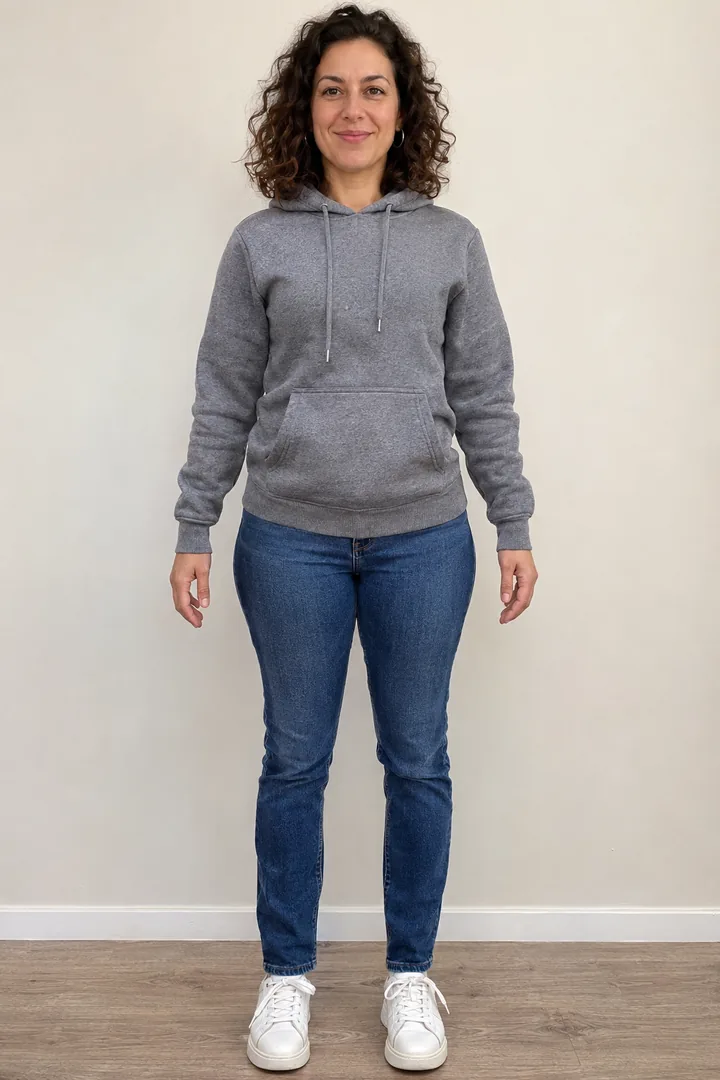
Original
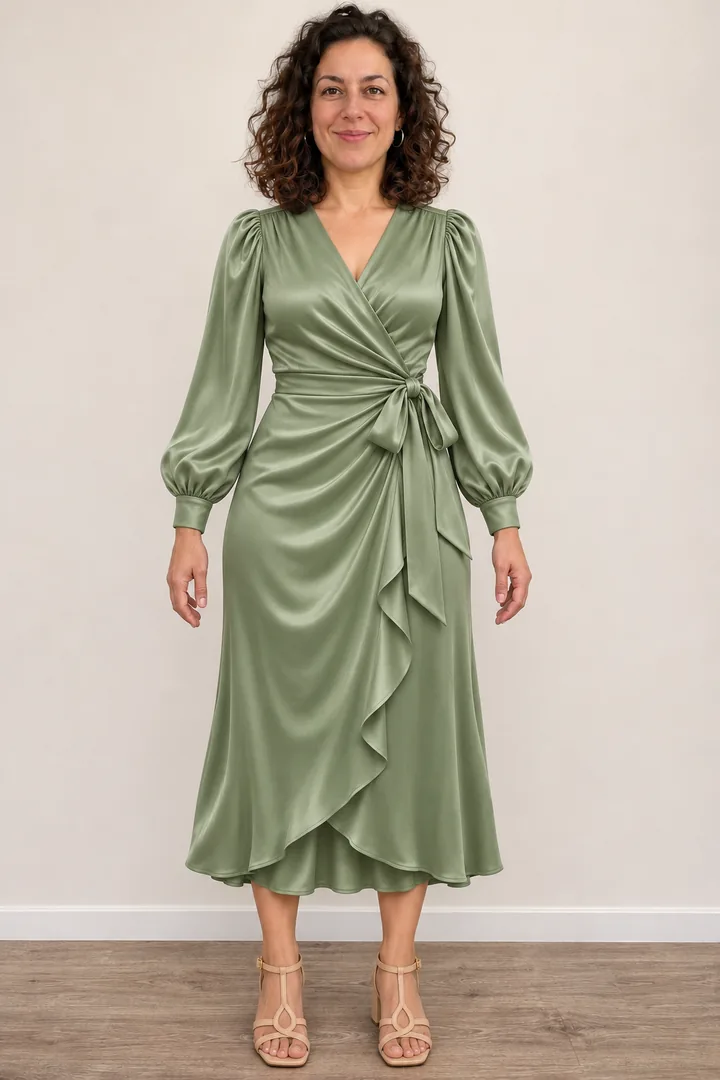
Changed
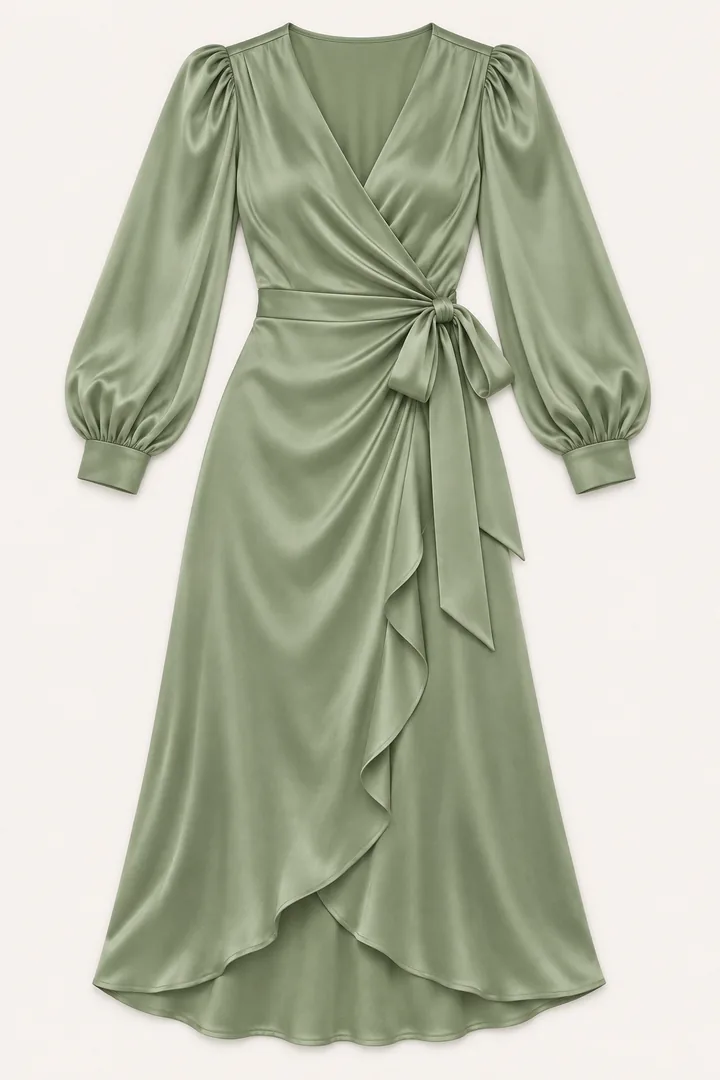
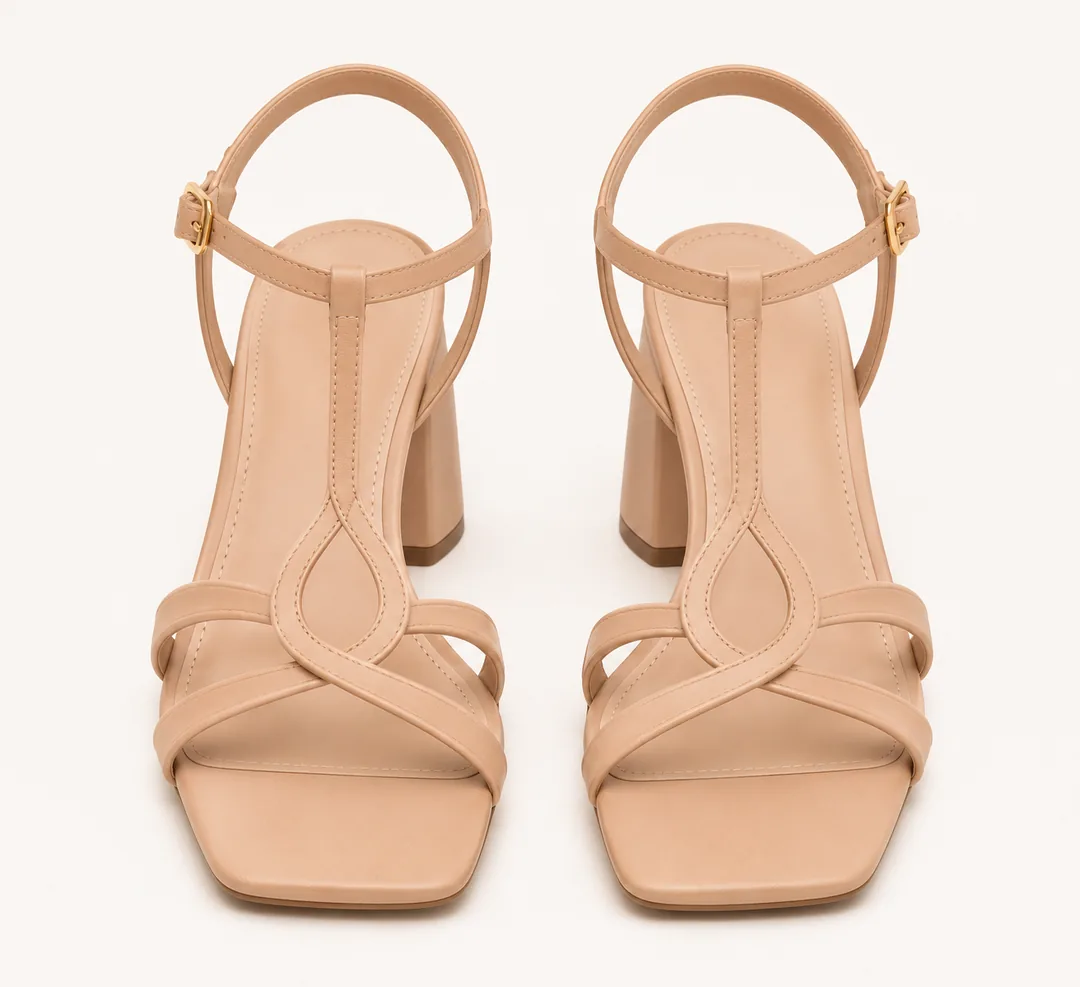
Input: Your photo + 2 outfit photos (sage satin wrap dress, nude block-heel sandals) · Look: From my outfit photos · Change: Whole outfit
Upload one photo of you, add up to three outfit photos or pick a Look, and press Change outfit; your face, pose and background stay.
This session
My creations Your results appear here. Every result is also saved in My creations; if a run fails, the credits go back to your balance.
Five real swaps made from original photos: a wedding guest dress, an interview suit, a party velvet set, a winter coat and a colour-only change.
Input: Your photo + 2 outfit photos (sage satin wrap dress, nude block-heel sandals) · Look: From my outfit photos · Change: Whole outfit
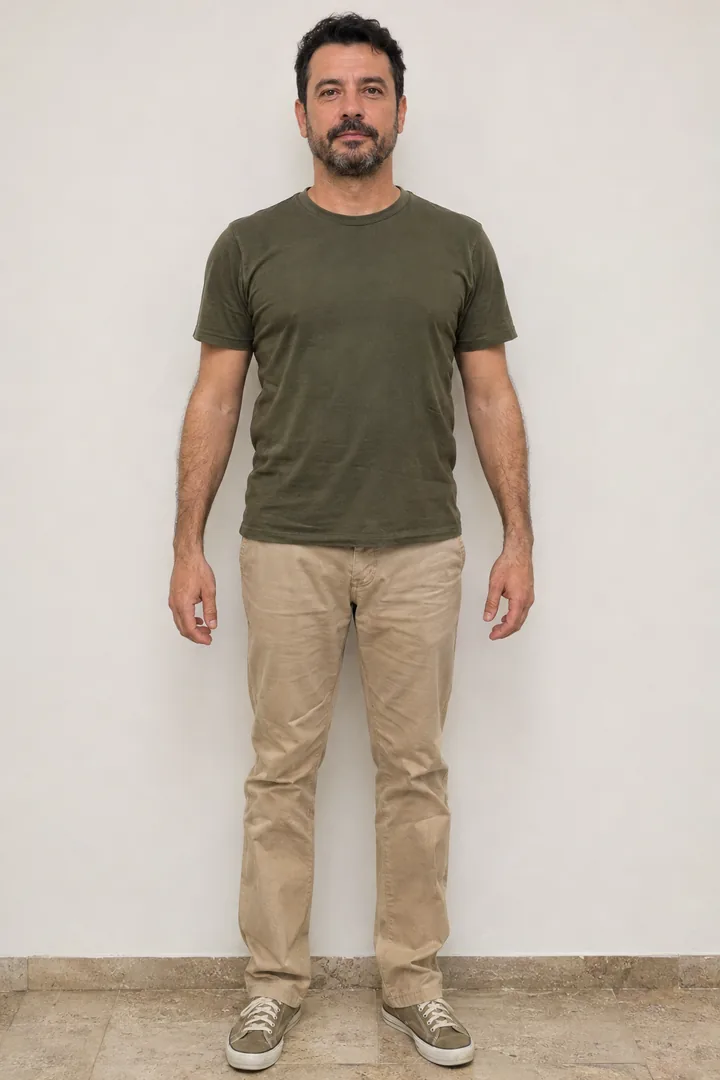
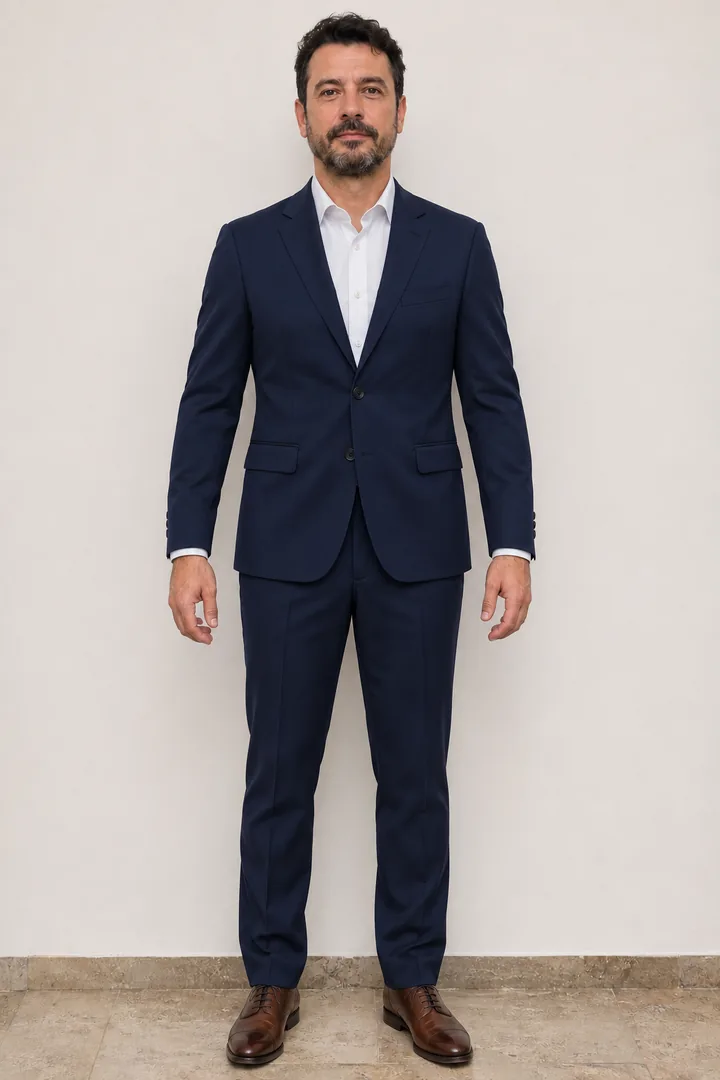
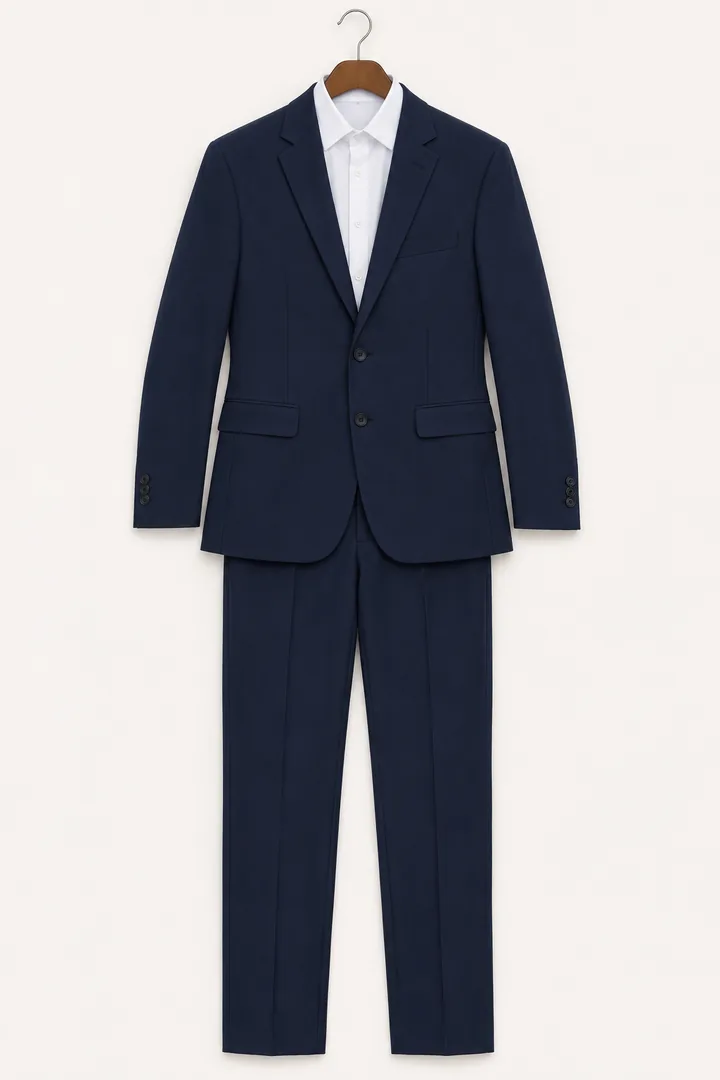
Input: Your photo + 1 outfit photo (navy two-piece suit and white shirt on a hanger) · Look: From my outfit photos · Change: Whole outfit
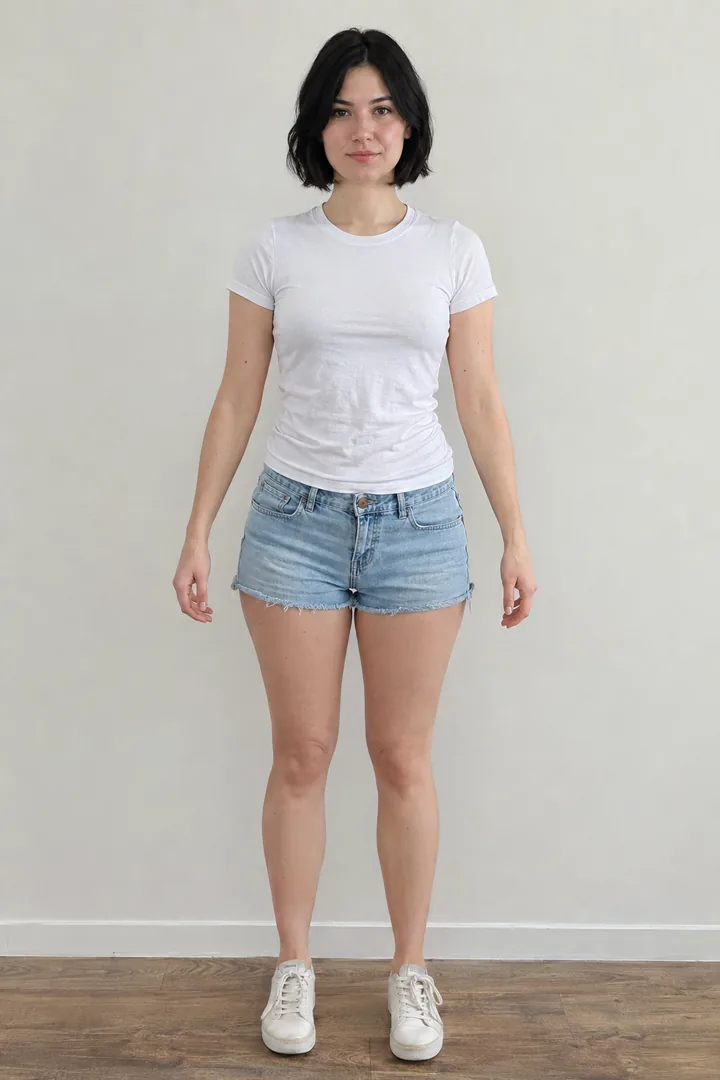
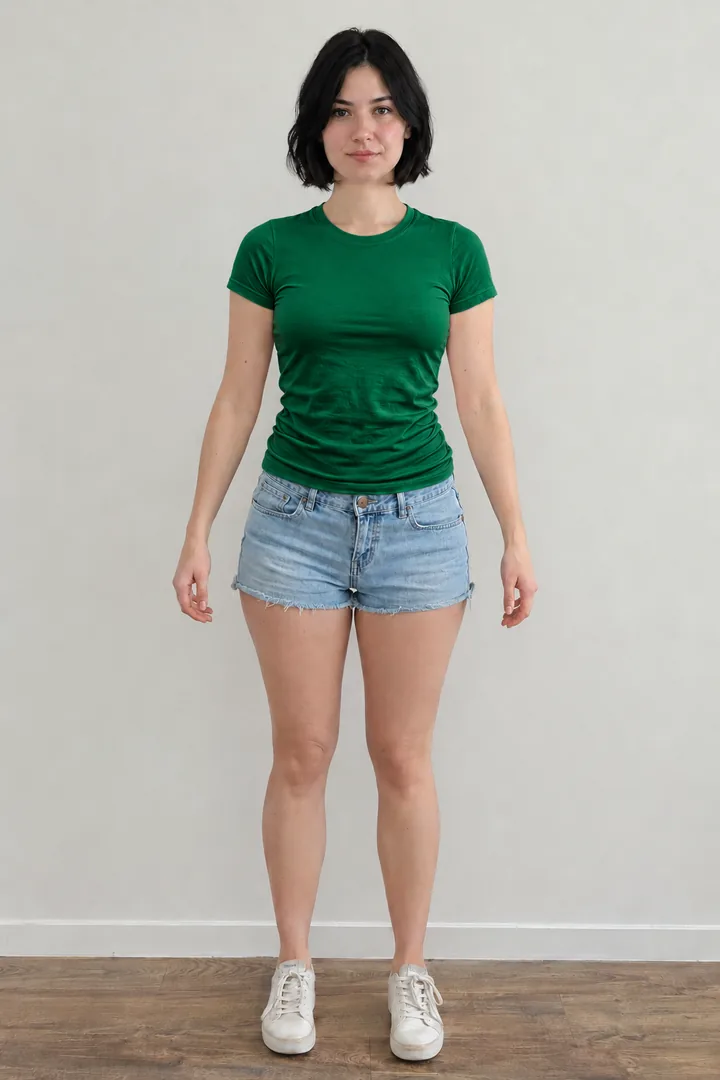
Input: Your photo only, extra line: white T-shirt to emerald green · Look: From my outfit photos · Change: Colour only
All five samples use original adult characters and original garment photos with no brands. Model: GPT Image 2.5 Flare (sample-media-gen, image to image), 2:3, made 2026-11-04; made with our sample pipeline, not with the button on this page. 0 credits for video: no clip was made. Last checked .
Upload a photo of you, add one to three outfit photos or pick a Look, then press Change outfit and compare the result with your original.
The first photo is you: one person, standing straight to the camera. No cut-out or masking is needed.
Add up to three outfit photos after yours, or leave them out and choose Wedding Guest, Job Interview, Holiday Party or Winter Coat in the Look menu.
The credit cost shows on the button before you press it. Drag the result next to your original, then download it or press Change again.
As an AI outfit changer it dresses you in the full look at once: top, bottom and shoes from up to three photos, or a whole outfit from a Look preset.
Upload one photo per piece after your own photo: the top or dress as outfit photo 1, trousers as 2, shoes as 3. Shoes are the hardest piece; if they drift, run them again on their own.
The Change menu has four settings: Whole outfit, Top only, Bottom only and Colour only. Top only keeps your trousers and shoes exactly as they are.
In the extra instructions box, say which piece comes from which photo:
top from outfit photo 1, trousers from outfit photo 2
Pick Wedding Guest, Job Interview, Holiday Party or Winter Coat and the AI clothes changer dresses you for the event without any outfit photo.
Satin midi or light suit A satin or silk midi dress or a light tailored suit with elegant shoes: formal, never bridal white.
Good for: Guests choosing between two dresses
Navy or charcoal suit A navy or charcoal two-piece suit, a plain white or light blue shirt and polished leather shoes.
Good for: Anyone checking a suit before the interview
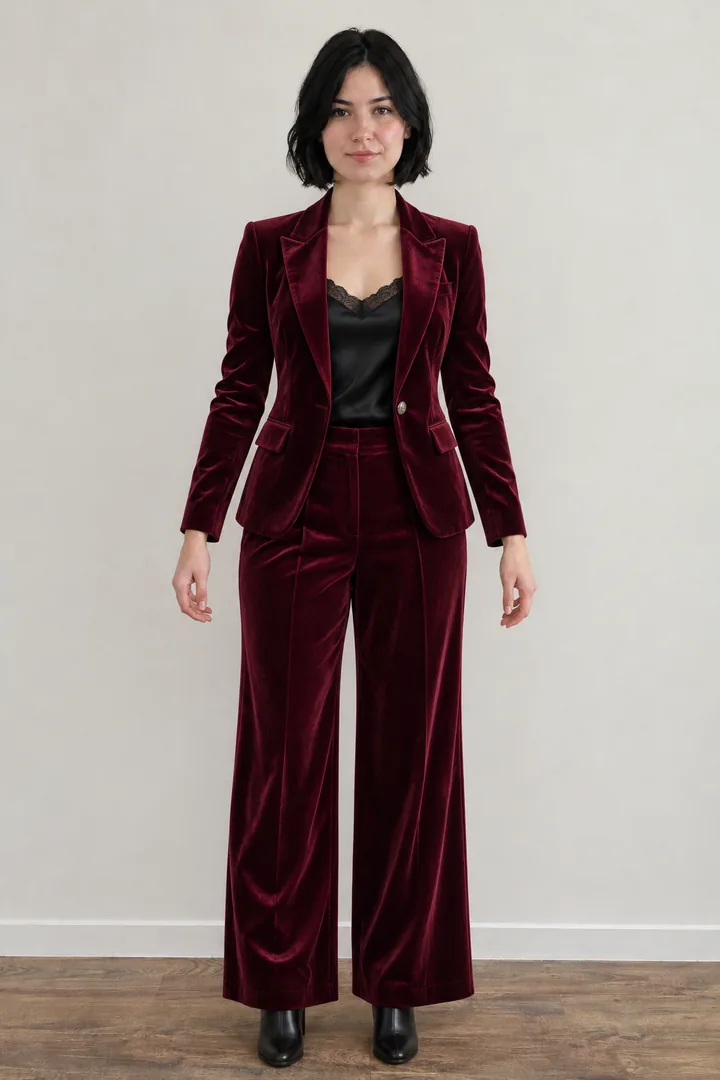 Velvet, jewel tones
A burgundy or emerald velvet blazer and trousers or a velvet dress, a simple top and ankle boots.
Good for: Office parties and December dinners
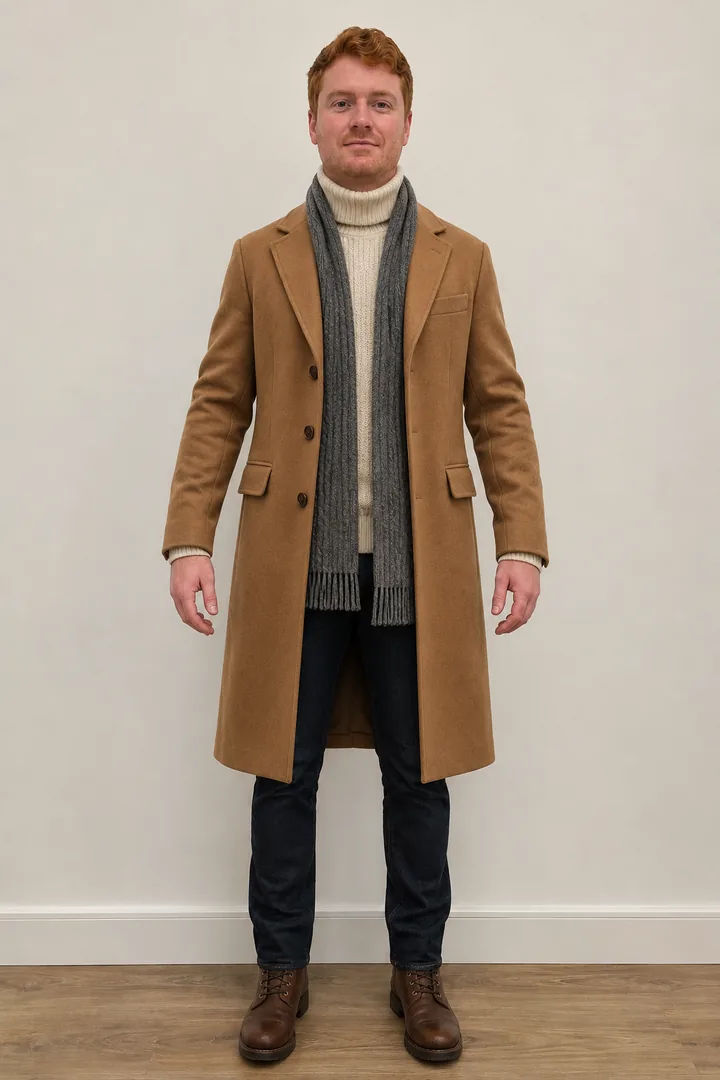 Long wool coat
A long camel wool coat over a knit, a grey wool scarf, dark trousers and leather boots.
Good for: Trying a coat before you buy one
The Holiday Party and Winter Coat samples were made from the person photo alone, with no outfit photo, using the same outfit wording as the preset. Winter Coat, for example, adds: a long camel wool coat over a knit sweater, a grey wool scarf, dark trousers and leather boots
.
Use one person standing straight to the camera in even light, full body for a whole outfit, and outfit photos that show the full piece flat on a plain background.
keep my face and hair exactlyin the extra instructions box.
Save the product photo of the dress or jacket, upload it as outfit photo 1 and the AI clothes changer shows it on you; use it for style and colour, and the store size chart for size.
A product shot, a flat lay or a screenshot from a store page all work as an outfit photo. The result shows the style and colour on your body, not the fit: sizes still come from the store.
Already like the cut? Set Change to Colour only and write the garment and colour, such as white T-shirt to emerald green
. The Same Outfit, New Colour sample above was made this way.
Google Shopping "Try it on" and the Doppl app are free in the US for products they list. Use this page when the outfit is not listed there, or when you want a Look preset.
An AI clothes changer swaps the outfit in your photo for a new one from an outfit photo or a preset, and keeps your face, hair, pose and background.
It works on one complete outfit at a time: every result keeps the person fully dressed, and only the clothes change. The new outfit can come from a flat lay, a product shot, an on-model photo, a store screenshot or a line of text.
Need to edit something other than the outfit? Image to Image edits any photo with up to three references.
Yes, it is the same task. People usually say outfit changer when they want the whole look changed at once and clothes changer when they swap one piece. Here you do both: set Change to Whole outfit, or to Top only or Bottom only.
It shows the style and colour of the dress on your body and pose. It does not measure you, so take the size from the store size chart.
Yes. Set Change to Colour only and write the garment and the new colour in the extra instructions box, for example "white T-shirt to emerald green". Fabric, folds and shadows stay.
Google Shopping "Try it on" and the Doppl app are free in the US for products they list. On this page each run uses credits, and the cost shows on the Change outfit button before you press it.
Google tries on items that stores list for sale. This page works with any outfit photo: a flat lay, a product shot, a screenshot from a store, or one of the four Look presets with no outfit photo at all.
Yes. Upload a photo of your model as the first image and the flat lay or hanger shot as outfit photo 1. Before you publish, check colour, print placement, sleeve and hem length against the real garment.
Uploads are stored as content data. They are used for model training only with your explicit consent, and backups are kept for up to 90 days. Read the privacy policy for retention and sharing, and upload only your own photos or photos of adults who agreed.Privacy policy →
Only the clothes. Face, hair, expression, body shape, pose, hands, lighting and background stay as they were, and every result shows the person in one complete outfit.
Dresses, tops, shirts, jackets, coats, suits, trousers, skirts and shoes. Shoes are the hardest piece; if they come out wrong, run the outfit again with the shoe photo alone.
No. A phone photo works when you stand straight to the camera in even light against a plain wall. Use full body for a whole outfit and waist-up for a top or jacket.
The result keeps the light and camera angle of your photo, so fabric folds and shadows match the scene. Check hands, hems and shoes before you share it, and run it again if something looks off.
The result appears in the workbench when the model finishes. The time depends on the model you pick, and you can keep the page open or come back to it in your history.
Yes, with no outfit photo needed. Pick the Holiday Party or Winter Coat look, set Change to Whole outfit and run it; then take the new photo to the AI Christmas Card page to build a card.
Animate your new outfit in Image to Video, change your hairstyle on the same photo, or turn a product shot into a store image.
Change outfit ↑ · View Pricing · AI Tattoo Generator → · All AI photo effects →