AI Image Generator

Type a prompt, pick GPT Image 2.5 Flare (default), Sunburst or another model, choose 1K, 2K or 4K, and the AI image generator returns images you can download, edit or turn into video.

0 / 4000
Try

Image model

Credits per run at your current settings.

Image settings

Aspect ratio
Resolutioncredits per run

This session

My creations

Your results appear here. Every result is also saved in My creations; if a run fails, the credits go back to your balance.

Choose a credit pack

One-time pack. Credits land in your balance and your run starts right after checkout.

This run3 credits
Your balance—

Included with Pro

  • 1000 credits included
  • Everything in Starter
  • Priority processing queue
  • HD quality output (1080p)
  • Advanced AI Agent Mode
  • Batch generation support
  • API access included
  • Priority email support
  • Early access to new features

One-time payment, no subscription · Purchased credits never expire · Payment by Stripe. You come back to this page after checkout. Compare packs

Which AI image generator model should you use?

Start with GPT Image 2.5 Flare for most images. Move to Sunburst when small text or fine detail matters, and to Grok Imagine Image 2.0 when the scene combines several photos.

ModelBest forInputs and sizes
GPT Image 2.5 FlareDefault Everyday images, quick iterations, product and portrait shotsPrompt plus up to 16 reference images; 1K, 2K or 4K; transparent background at 1K
GPT Image 2.5 Sunburst Detailed compositions, small text, finished campaign imagesPrompt plus up to 16 reference images; 1K, 2K or 4K
Grok Imagine Image 2.0 One scene built from several photosPrompt plus up to 5 reference images
Nano Banana Pro Compositions that follow reference imagesPrompt plus reference images
Seedream V4 A second visual style on the same promptPrompt plus reference images
Flux Kontext Short instruction edits such as "remove the lamp"Photo plus an instruction
See all image models and their settings →

AI image generator prompts for photos, products and posters

Name the subject, the setting, the light and the framing, and put any words that must appear in quotes. Each prompt below produced the image next to it with GPT Image 2.5 Flare.

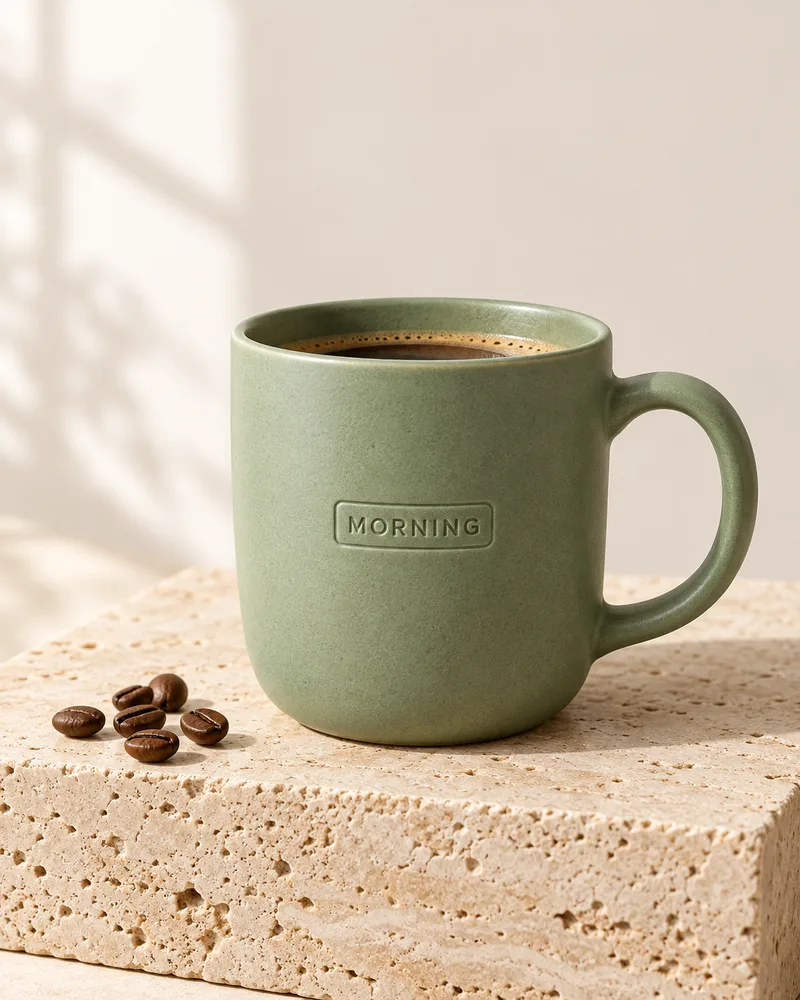
Sage green ceramic mug labelled MORNING on a travertine block

Product photo

GPT Image 2.5 Flare · 1K, 2:3 Studio product photo of a matte sage-green ceramic coffee mug with a small embossed label that reads "MORNING", standing on a pale travertine block, soft window light from the left, gentle shadow, warm off-white seamless background, a few coffee beans beside it, sharp focus. No other text, no logos.
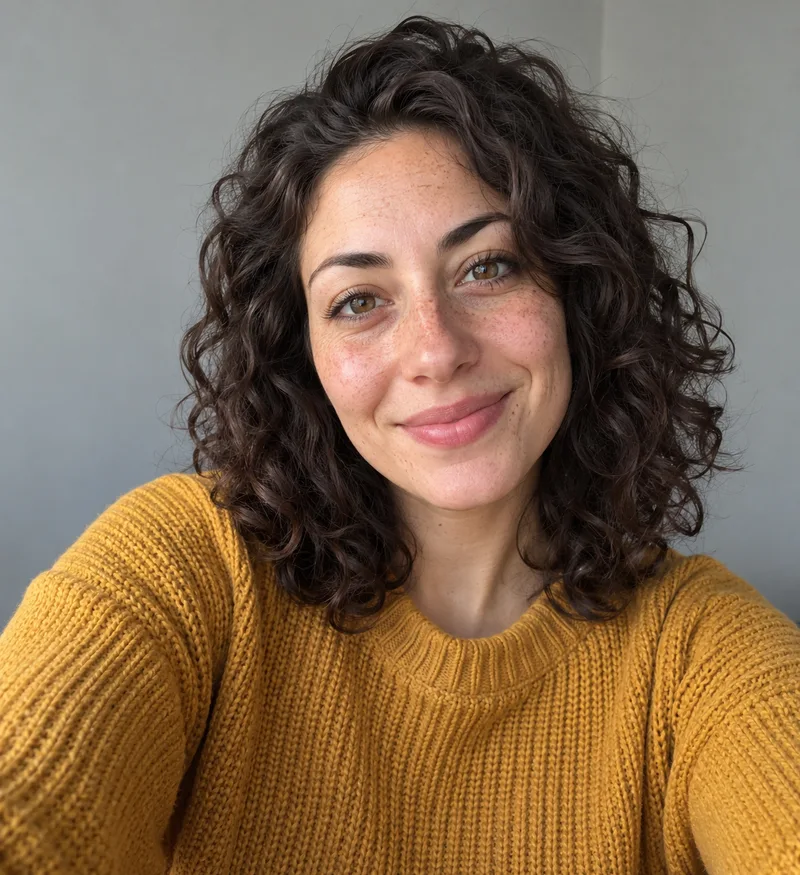
Natural selfie of a woman with curly dark hair and a mustard sweater

Portrait

GPT Image 2.5 Flare · 1K, 2:3 Natural smartphone selfie of an original adult woman in her late twenties with shoulder-length curly dark hair, light freckles and a mustard knit sweater, soft window light, plain light grey wall behind her, front-facing, relaxed smile, sharp focus.
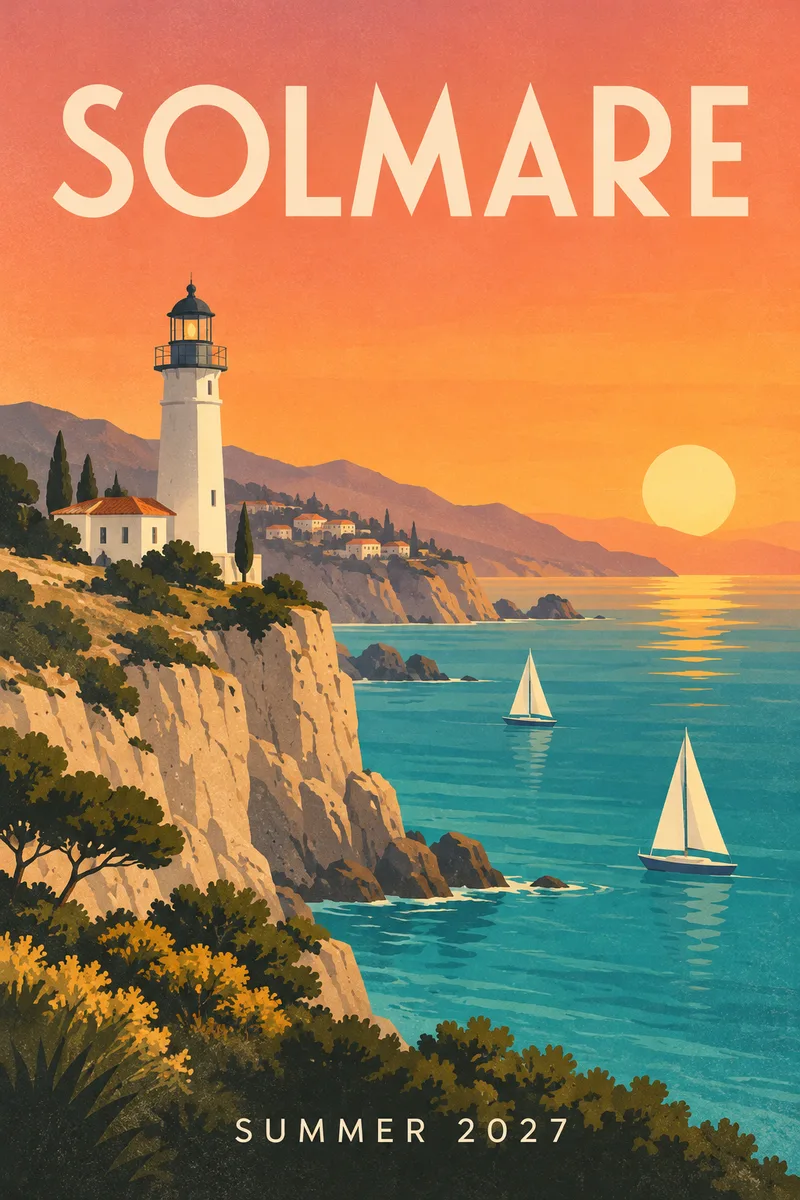
Travel poster of a lighthouse with the title SOLMARE and SUMMER 2027

Poster with text

GPT Image 2.5 Flare · 1K, 2:3 Minimal mid-century travel poster for a fictional seaside town: a white lighthouse on a cliff, turquoise sea, two sailboats, warm sunset gradient sky, flat shapes with subtle paper grain. Large title text at the top reads "SOLMARE" and smaller text at the bottom reads "SUMMER 2027". Clean typography. No other text.

Sizes and output from the AI image generator

Size, ratio and reference limits depend on the model; the values below come from the models page.

Sizes
1K, 2K or 4K with GPT Image 2.5 Flare and Sunburst
Aspect ratios
Auto, 1:1, 2:3, 3:2, 3:4, 4:3, 9:16, 16:9, 21:9 and more with GPT Image 2.5
Transparent background
Available at 1K with GPT Image 2.5
Reference images
Up to 16 with GPT Image 2.5, up to 5 with Grok Imagine Image 2.0
Credits
Shown next to the Generate button before each run; they change with the model and size

From AI image generator to video

Turn an image into video →

Edit an existing photo instead

Open Image to Image →

AI image generator FAQ

Is the AI image generator free?

Each image uses credits. One-time credit packs. No subscription. Purchased credits never expire. The credits a run needs are shown before you generate; with GPT Image 2.5 they depend on the size you pick.

Can I use the images commercially?

You own what you generate and can use it for personal or commercial projects under our Terms. Avoid prompts that copy real brands, logos or people you have no rights to.

Which model is the default?

GPT Image 2.5 Flare. You can switch to GPT Image 2.5 Sunburst, Grok Imagine Image 2.0, Nano Banana Pro, Seedream V4, Flux Kontext or another model from the model menu.

How long does an image take?

Most images finish in under a minute; 4K images and runs with many reference images take longer.

Which aspect ratios can I use?

GPT Image 2.5 offers auto, square, portrait and landscape ratios from 9:16 to 21:9. Other models list their own ratios in the settings panel.

How do I download the images?

Each result has a download button, and you can download all images from a run at once. Results also stay in your image history.

Write a prompt and pick a size.

Generate an image