Room restyle
Restyle this room in Scandinavian style with white oak, wool throws and soft daylight. Keep the walls, windows, camera angle and furniture positions. Upload a photo, write what should change and what must stay, and image to image AI redraws it with GPT Image 2.5 Flare or another top model.
Google's cutting-edge image generation model
OpenAI's GPT-4o image generation model
Flux Kontext standard model with balanced performance
GPT Image 2.5 Flare
Upload an Image
or Select from
Upload an Image
or Select from
(Optional)
Upload an Image
or Select from
(Optional)
Upload an Image
or Select from
(Optional)
When this option is enabled, the output image may be selected by AI Generate and published to the Explore.
Each example started from one uploaded photo and one sentence, and image to image AI changed only what the sentence asked for. All four were generated for this page with GPT Image 2.5 Flare on 2026-10-26.
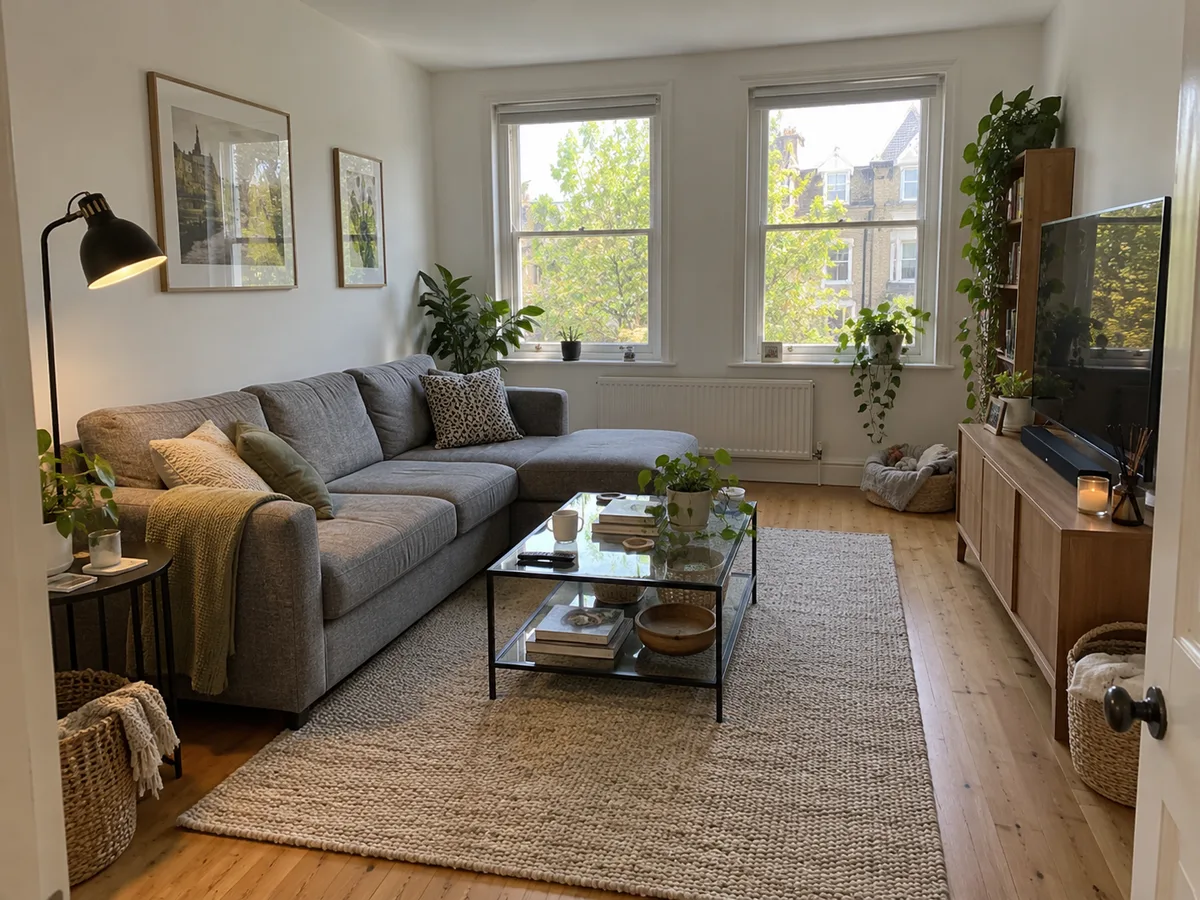
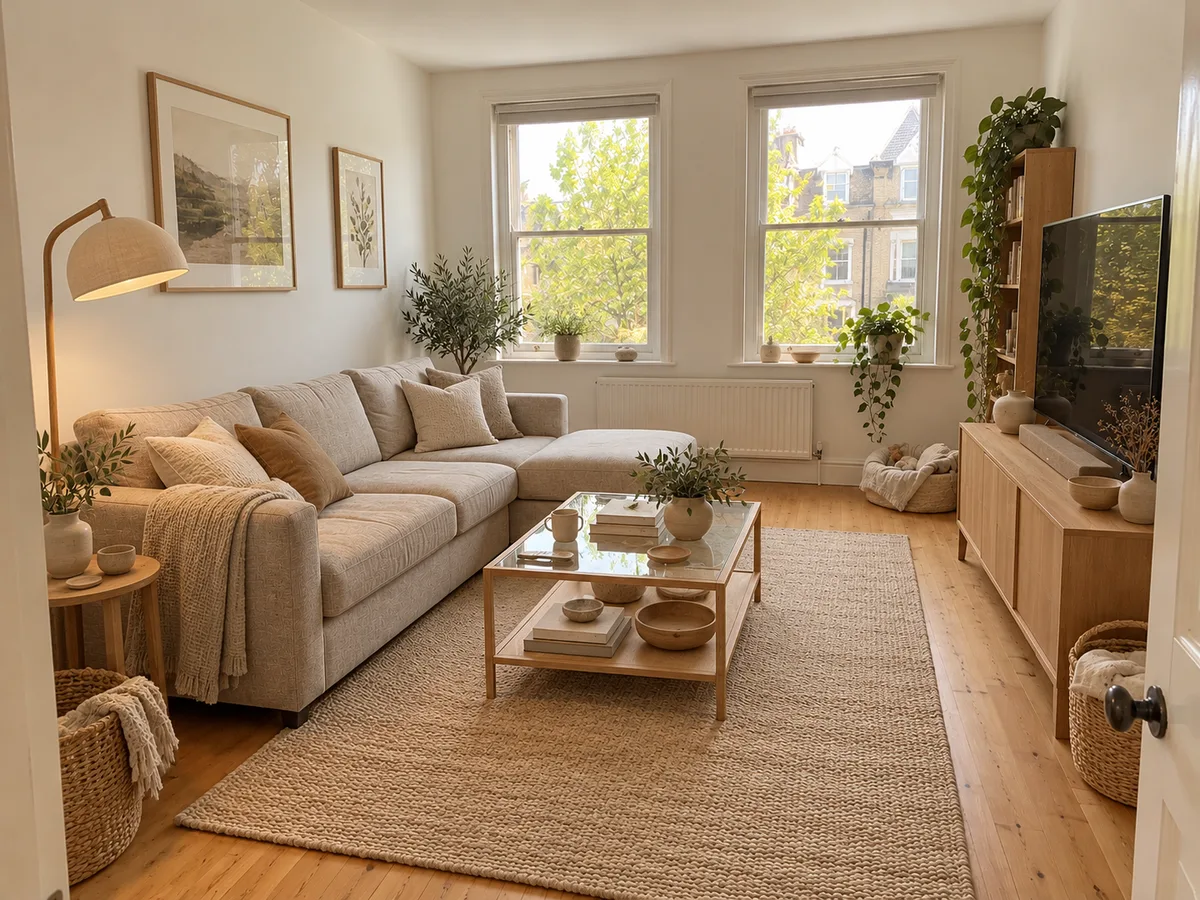 Before After
 Restyle this living room in Japandi style with light oak, linen and beige textiles. Keep the walls, windows, camera angle and furniture positions exactly where they are. GPT Image 2.5 Flare · 1 photo, 3:2 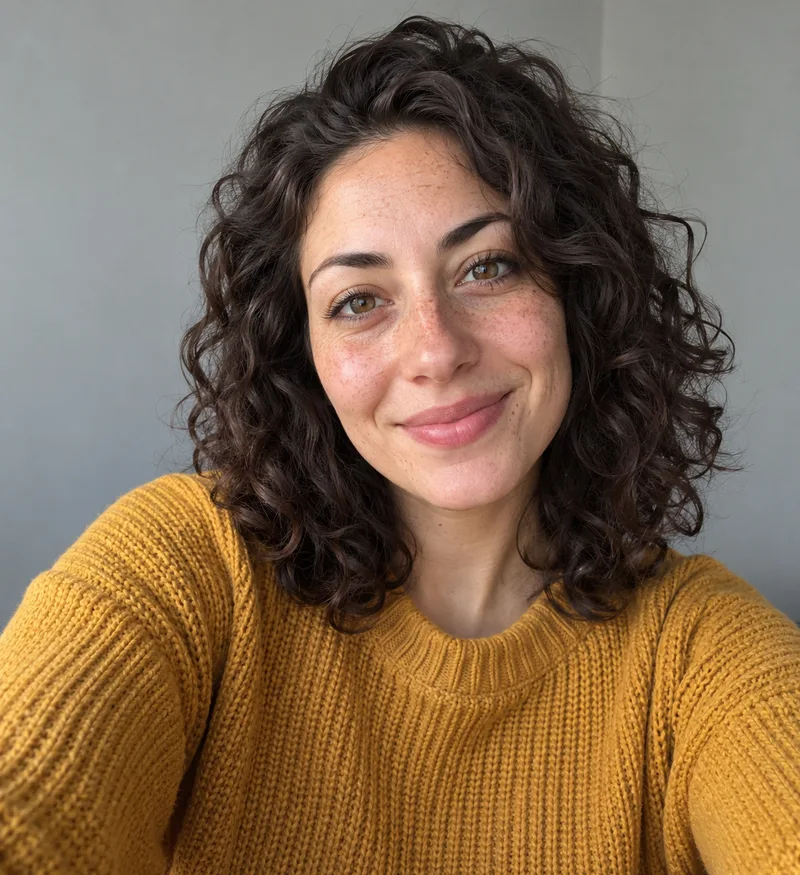
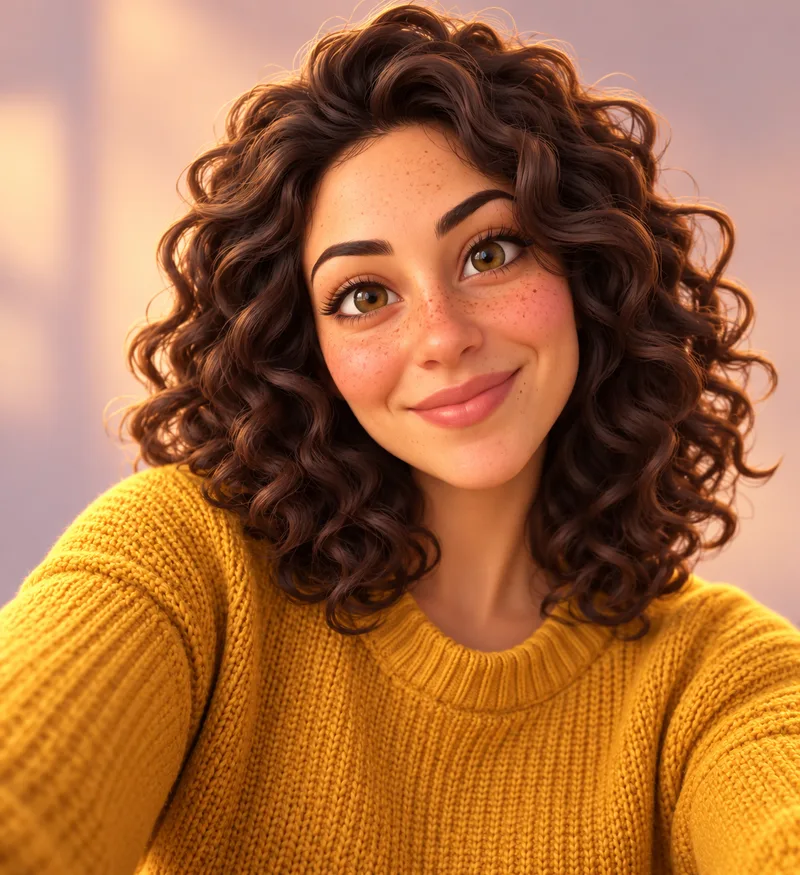 Before After
 Redraw this selfie as a stylized 3D animated feature-film character with smooth skin shading, slightly larger eyes and soft studio light. Keep her curly dark hair shape, freckles, smile, mustard knit sweater and framing. GPT Image 2.5 Flare · 1 photo, 2:3 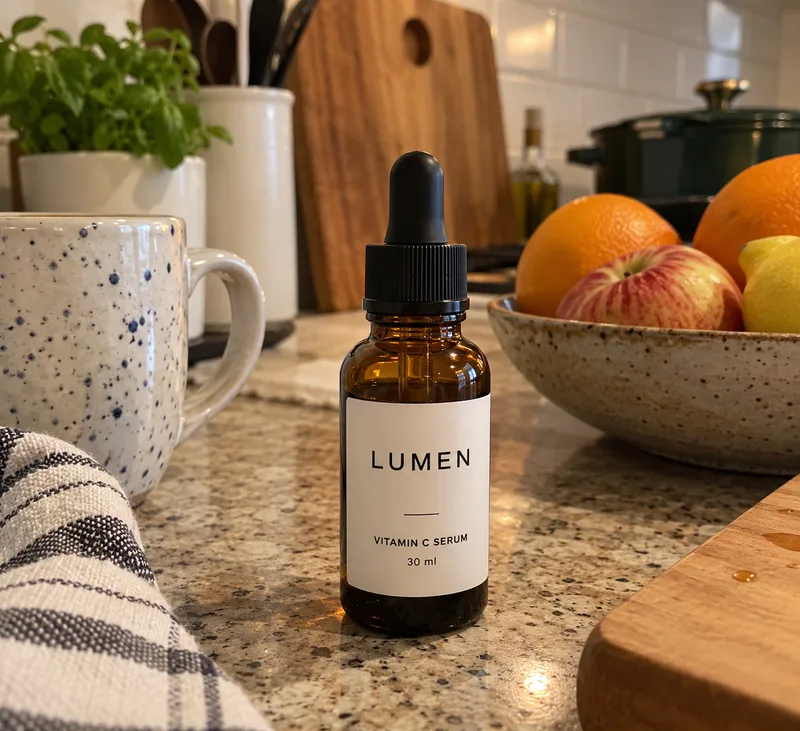
 Before After
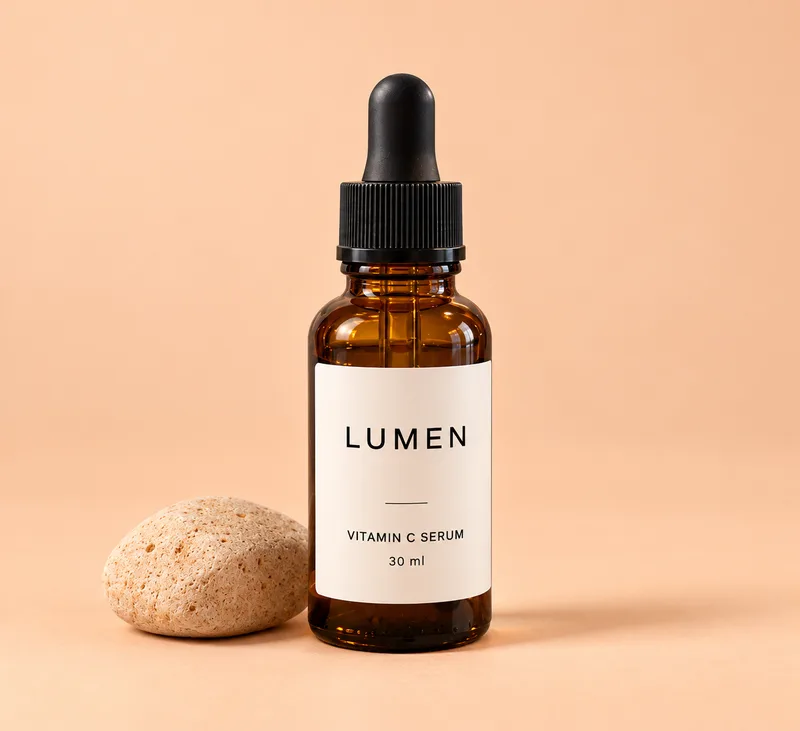
 Place this bottle on a seamless soft peach studio background with a gentle shadow and a small sand-colored stone beside it. Keep the bottle shape, amber glass, dropper cap and the label text LUMEN VITAMIN C SERUM 30 ml exactly as they are and readable. GPT Image 2.5 Flare · 1 photo, 2:3 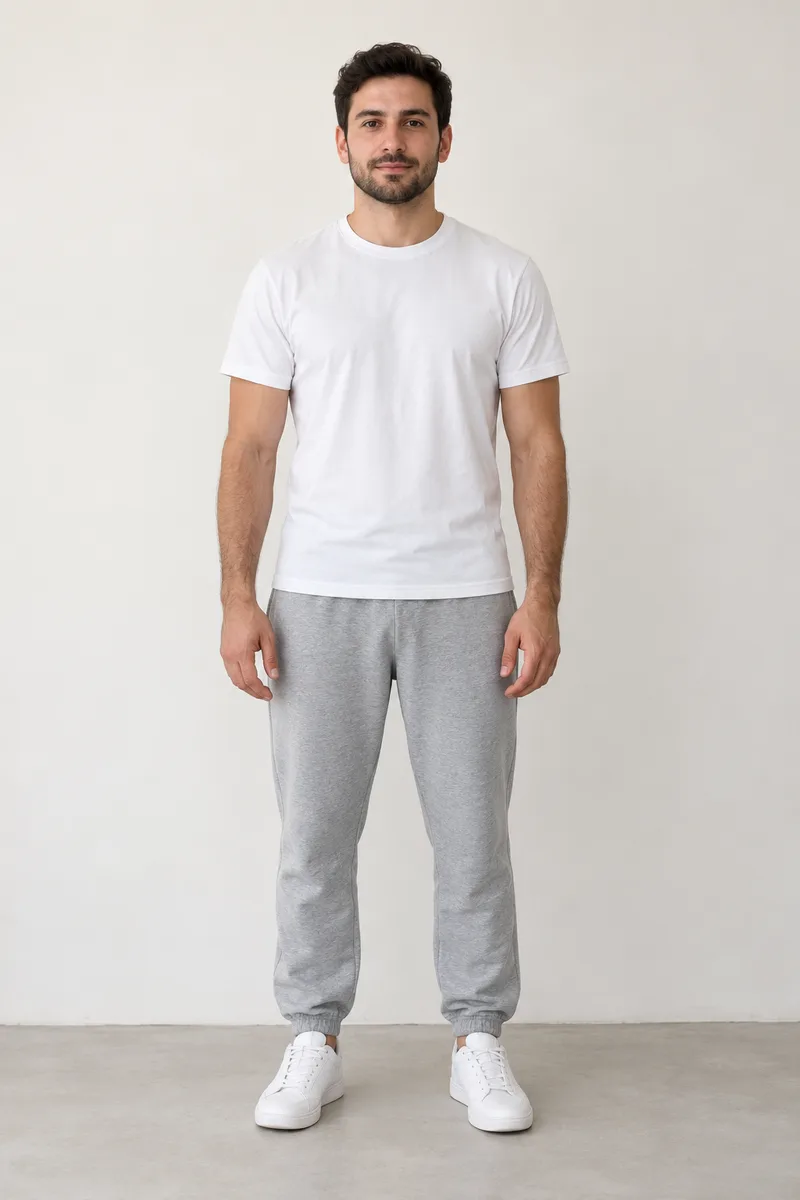
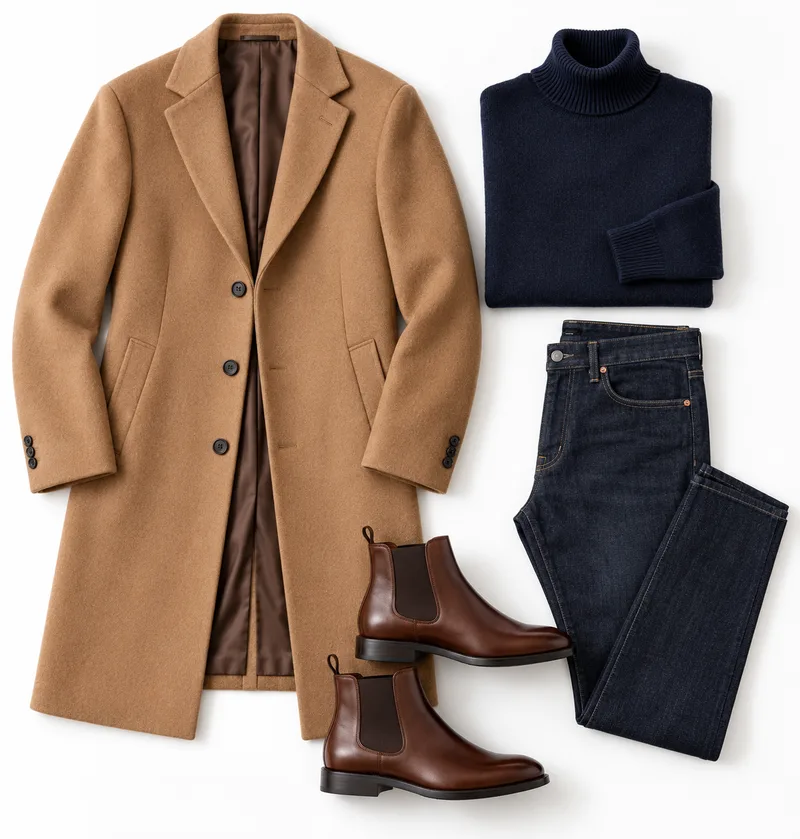
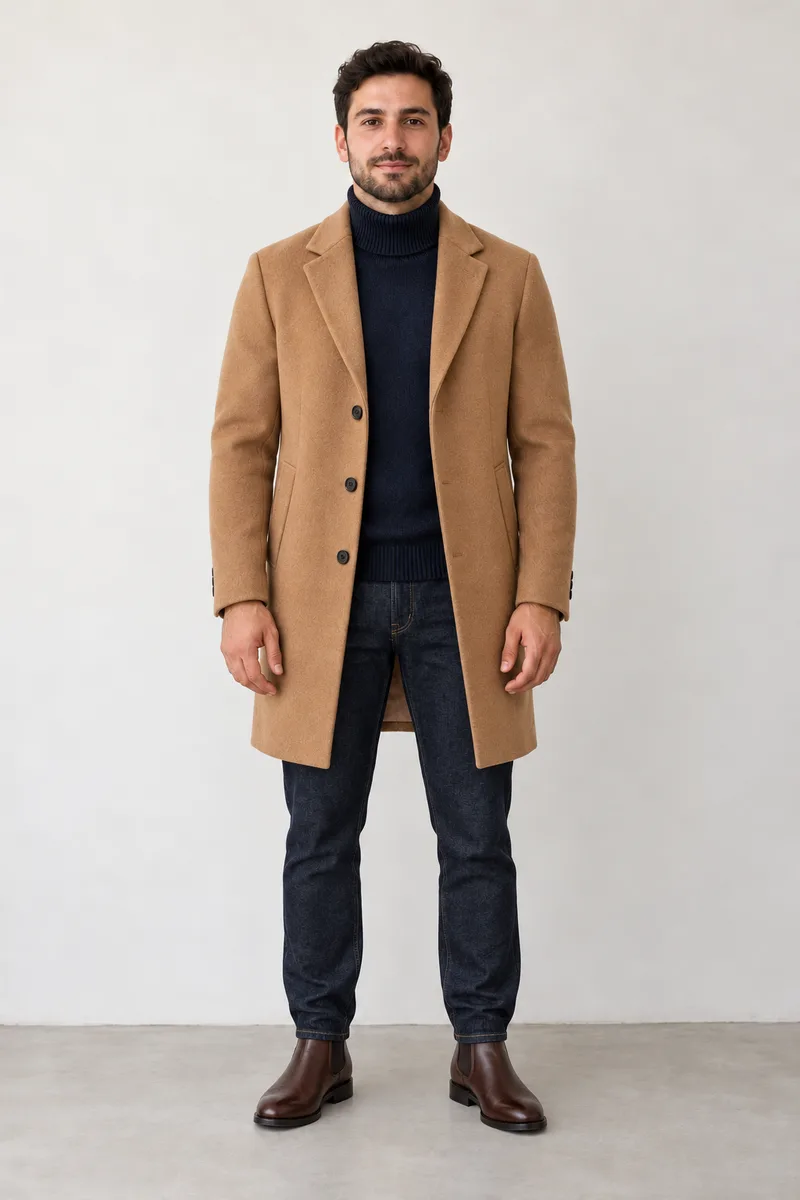
Dress the man from the first photo in the outfit from the second photo: camel wool overcoat, navy roll-neck sweater, dark jeans and brown chelsea boots. Keep his face, beard, hair, body pose and the plain studio wall from the first photo. GPT Image 2.5 Flare · 2 photos, 2:3 Upload a photo, write what should change and what must stay, pick GPT Image 2.5 Flare or another model, then generate and compare with the original.
Add the main photo first. Add up to three more photos when the result should take a person, an outfit or a background from them.
Write the change in the first box and the parts to protect in the second, such as the face, the label or the furniture positions.
GPT Image 2.5 Flare is selected; the credits for the run show before you click Generate. Compare the result with the original when it finishes.
If a result drifts, run the edit again from the original photo rather than editing the result; each pass on an edited copy adds more change.
Upload a photo →Image to image AI takes a photo you upload as the starting point and redraws it from your prompt, so the layout, subject or style carry over instead of being invented from text.
Text to image invents everything from your words: the person, the room, the light and the angle. Image to image keeps what the photo already shows and changes only what the prompt asks for. Diffusion models do this by adding noise to your photo and rebuilding it toward the prompt; edit-focused models such as GPT Image 2.5 follow the instruction directly.
Upload a photo when the result has to match something you can show: a real product, a face, a room layout, a pose or a style. Write text alone when you are happy for the model to invent those details.
Start with GPT Image 2.5 Flare for everyday edits and switch to Sunburst when fine detail matters; the two ranked first and second on public image editing leaderboards in October 2026.
| Model | Best for | Inputs |
|---|---|---|
| GPT Image 2.5 FlareDefault | Everyday edits and quick iterations | Photo plus up to 16 references; 1K, 2K or 4K |
| GPT Image 2.5 Sunburst | Detailed edits for finished product or campaign images | Photo plus up to 16 references; 1K, 2K or 4K |
| Grok Imagine Image 2.0 | Combining several photos into one scene | Up to 5 photos |
| Flux Kontext | Short instruction edits such as "remove the lamp" | Photo plus an instruction |
| Nano Banana Pro | Compositions that follow reference photos | Photo plus references |
Name what must stay in the prompt, change one thing per run and use a sharp front-facing photo; if the face drifts, rerun from the original.
Uploading a photo does not lock its face or layout by itself. Results drift when the prompt asks for several changes at once, when the photo is small or blurry, or when you keep editing an already edited copy. No model guarantees an identical face, but these habits keep it close:
Put the change first and the parts to keep second:
Change the background to a sunny beach at golden hour. Keep the same face, hairline, expression, glasses and shirt, and keep the head size and camera angle. Each prompt names the change first and the parts to keep second, the pattern that holds layouts, labels and faces.
Restyle this room in Scandinavian style with white oak, wool throws and soft daylight. Keep the walls, windows, camera angle and furniture positions. Redraw this photo as a 3D animated film character with soft shading and expressive eyes. Keep the hair shape, face shape, clothes and pose. Put this product on a seamless light grey studio background with a soft shadow. Keep the product shape, colors and all label text sharp and readable. Dress the person from the first photo in the outfit from the second photo. Keep the face, hair, body pose and background from the first photo. Turn this pencil sketch into a realistic product render with brushed aluminium and matte black plastic. Keep the proportions, angle and every detail of the sketch. Change the season in this photo to winter with fresh snow on the ground and trees. Keep the buildings, people, camera angle and time of day. Upload the main photo first, add up to three references, and say which photo supplies the person, the outfit or the background.
Example: "Put the person from the first photo in the outfit from the second photo, standing in the street from the third photo. Keep the face and pose from the first photo." Grok Imagine Image 2.0 combines up to five photos, and GPT Image 2.5 accepts up to sixteen references.
Combine photos →A few sites give a handful of free edits a day without an account at lower sizes; AI Generator runs the 1K to 4K GPT Image 2.5 models and shows the credits before each run.
Some sites give a few free edits a day without an account, at lower sizes or for personal use only. On AI Generator each run uses credits, shown before you generate, and you get the 1K to 4K GPT Image 2.5 models.
Write what must stay ("keep the same face, hairline and expression"), change one thing per run, use a sharp front-facing photo, and rerun from the original instead of an edited copy.
One main photo plus up to three references in the workbench. Grok Imagine Image 2.0 combines up to five photos and GPT Image 2.5 accepts up to sixteen references.
Strength is how much the model may redraw your photo; reference weight is how closely it follows your upload. This workbench has no strength slider, so control it in the prompt: name what must stay and ask for one change at a time.
Yes. Click Turn into video under the result and it opens in Image to Video as the first frame.
You own what you generate and can use it for personal or commercial projects under our Terms. Make sure you have the rights to the photo you upload.
More ways to edit a photo
Upload a photo and say what to change.
Edit your photo now