ONE PET PHOTO. ONE GREEN GRUMP.

Grinch Pet AI Trend:
Build the Green Still, Then Animate It

Upload one photo of your pet, press Build the still for the green Santa grump look, then Animate it and your pet grins at the camera.

One pet photo. One green Santa grump.

PhotoCraftOpens its own page
  1. 1Build the still
  2. 2Check the face
  3. 3Animate
Scene
Edit the still prompt

Still: GPT Image 2.5 · 9:16 · 1K. The animate step shows its own credits after you approve the still.

Image model

Credits per run at your current settings.

Image settings

Aspect ratio
Resolutioncredits per run

This session

My creations
SampleOne pet photo in. Green fur, a Santa hat and a sly grin out.

Your results appear here. Every result is also saved in My creations; if a run fails, the credits go back to your balance.

Choose a credit pack

One-time pack. Credits land in your balance and your run starts right after checkout.

This run3 credits
Your balance—

Included with Pro

  • 1000 credits included
  • Everything in Starter
  • Priority processing queue
  • HD quality output (1080p)
  • Advanced AI Agent Mode
  • Batch generation support
  • API access included
  • Priority email support
  • Early access to new features

One-time payment, no subscription · Purchased credits never expire · Payment by Stripe. You come back to this page after checkout. Compare packs

REMIXED FOR THIS PAGE

Grinch pet ai trend samples for dogs and cats

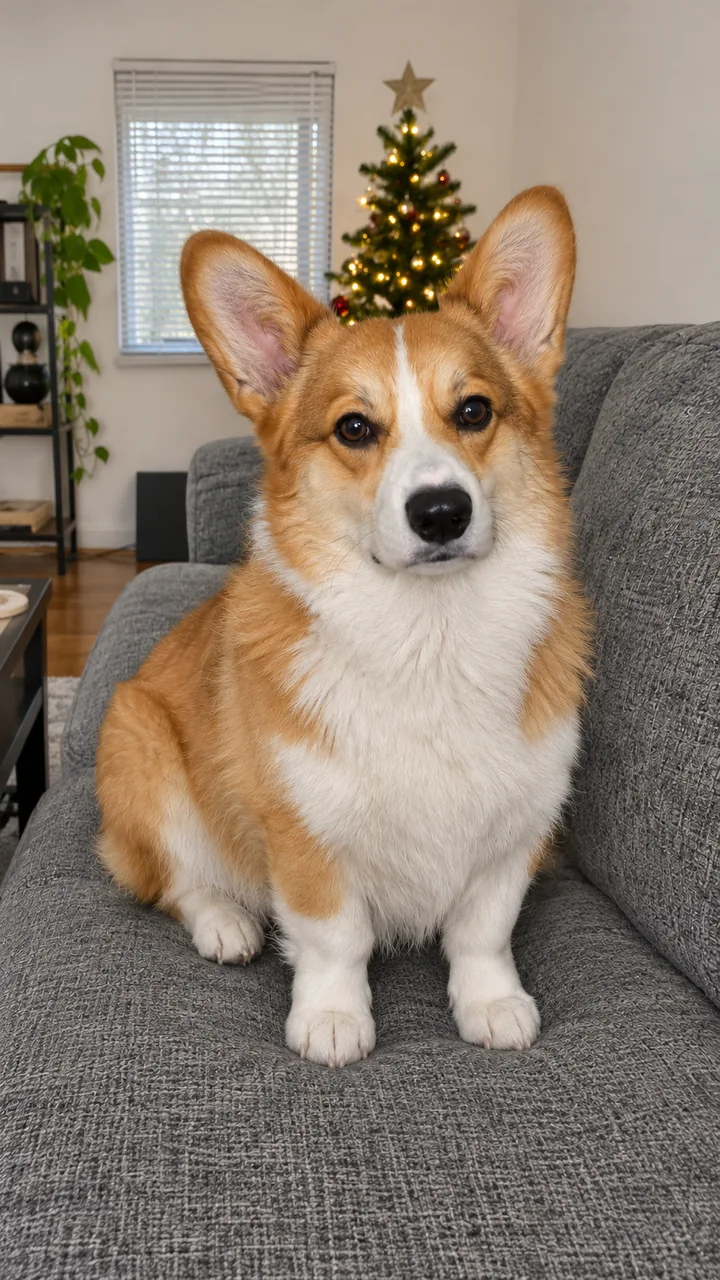
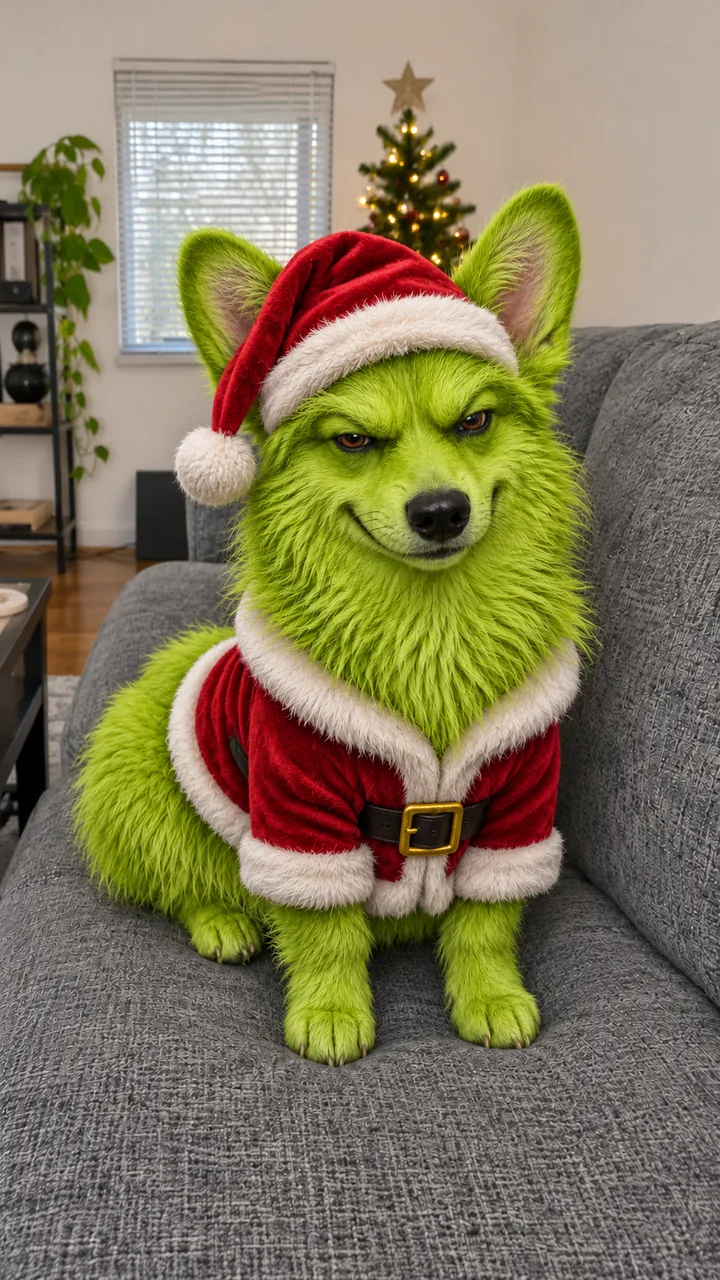
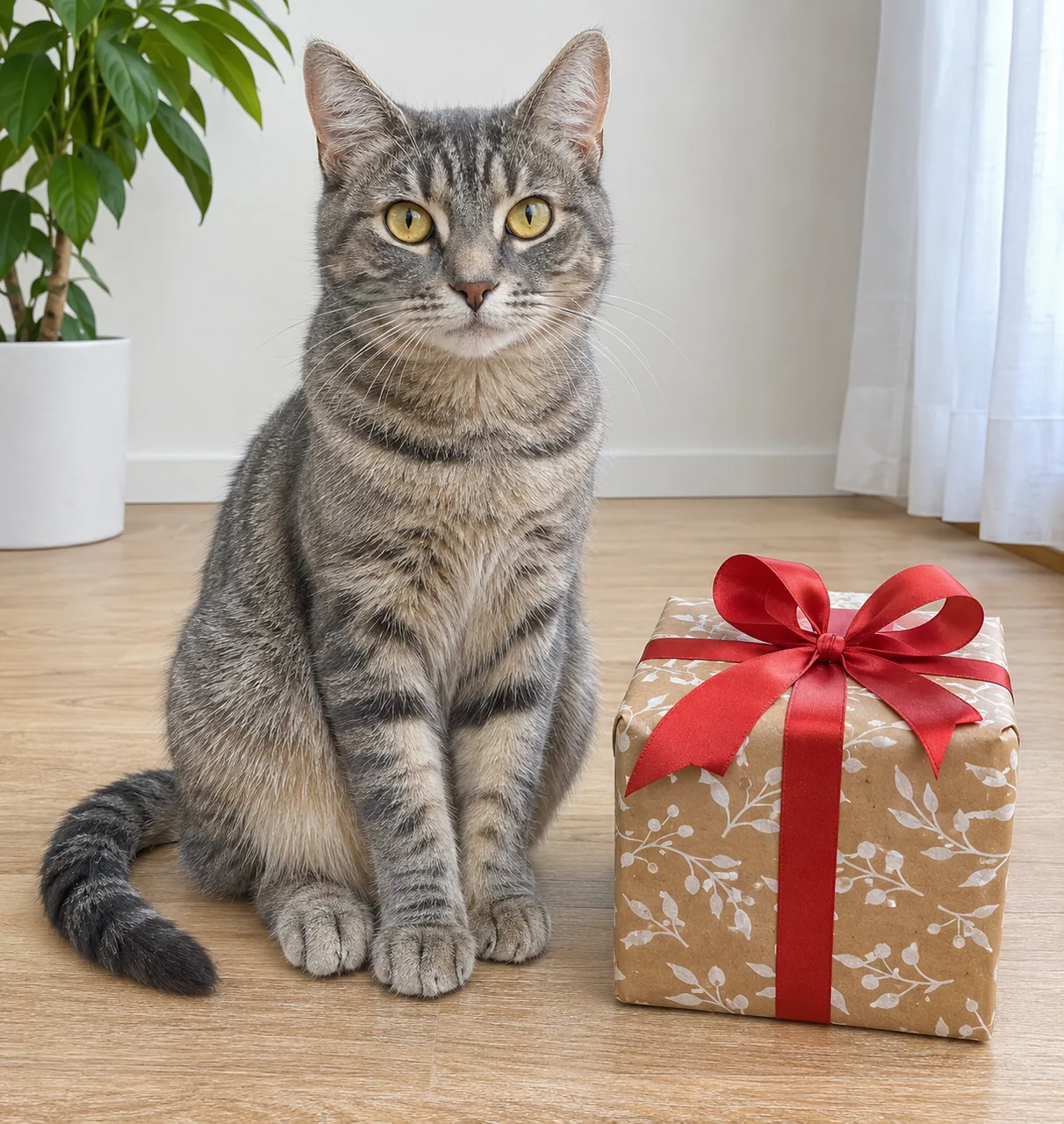
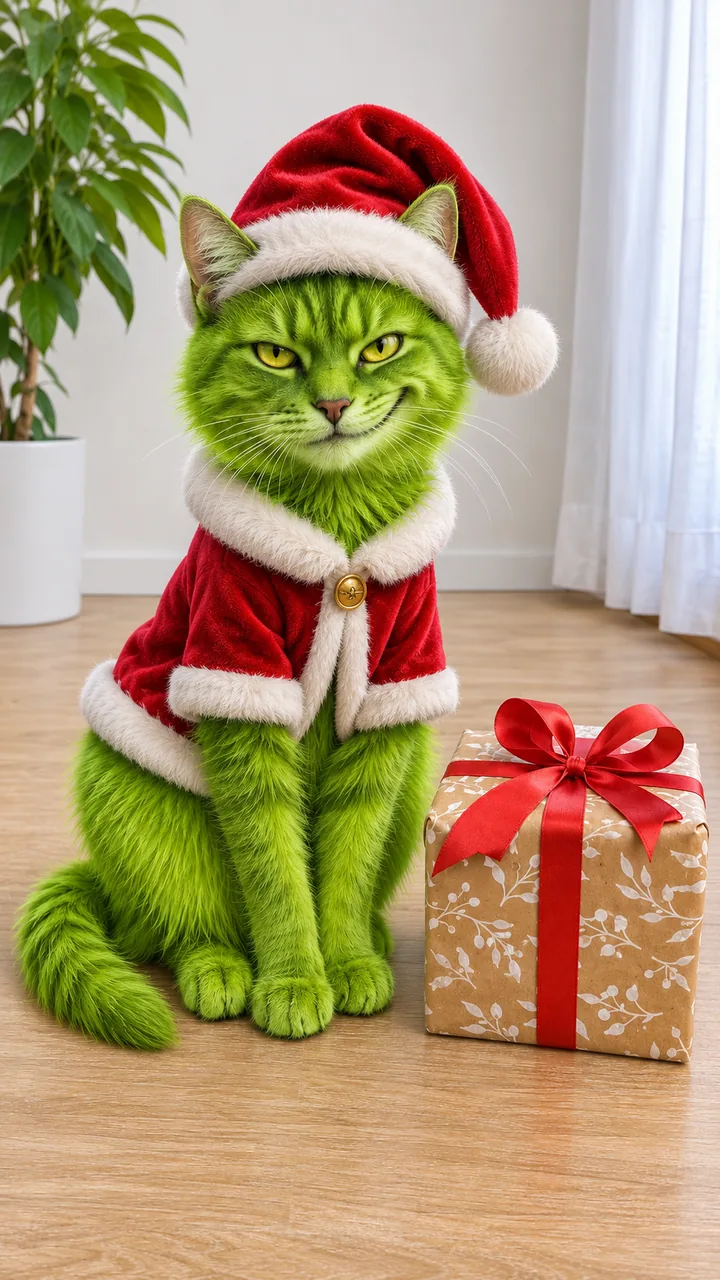
A corgi on a couch and a tabby next to a present, each turning green with a Santa hat and suit in a remix of about 9 seconds, shown with the pet photo and the green still. The corgi sits on a grey couch looking into the lens; at about 2 s a glow runs over its ears, a red Santa hat appears at about 2.5 s, green fur and a red Santa suit spread down its body until it is all green at about 5 s, and from about 6.5 s it narrows its eyes into a toothy grin. The tabby looks at the camera next to a wrapped present; at about 3 s a Santa hat appears and its face turns green, a red coat follows, and at about 5.5 s it reaches out, puts one paw on the present and pushes it before sitting back.

Corgi on the couch

Input photo: an AI corgi sitting on a grey couch
Photo
Corgi on the couch green Santa grump still
Still
Video

Pet photo and green still: GPT Image 2.5 Flare · Clip: Remixed from a lovart.me clip made with Seedance 2.0 Fast from the pet photo (10 s master, 720p, 9:16) · trimmed, reframed, colour graded · original Christmas instrumental, no lyrics · no new AI generation · made 2026-11-11
Tabby and the present

Input photo: an AI grey tabby cat next to a wrapped present
Photo
Tabby and the present green Santa grump still
Still
Video

Pet photo and green still: GPT Image 2.5 Flare · Clip: Remixed from a lovart.me clip made with Seedance 2.0 Fast from the pet photo (10 s master, 720p, 9:16) · trimmed, reframed, colour graded · original Christmas instrumental, no lyrics · no new AI generation · made 2026-11-11

Me as the Grump

Input photo: an original adult man in a grey sweater, chest up
Photo
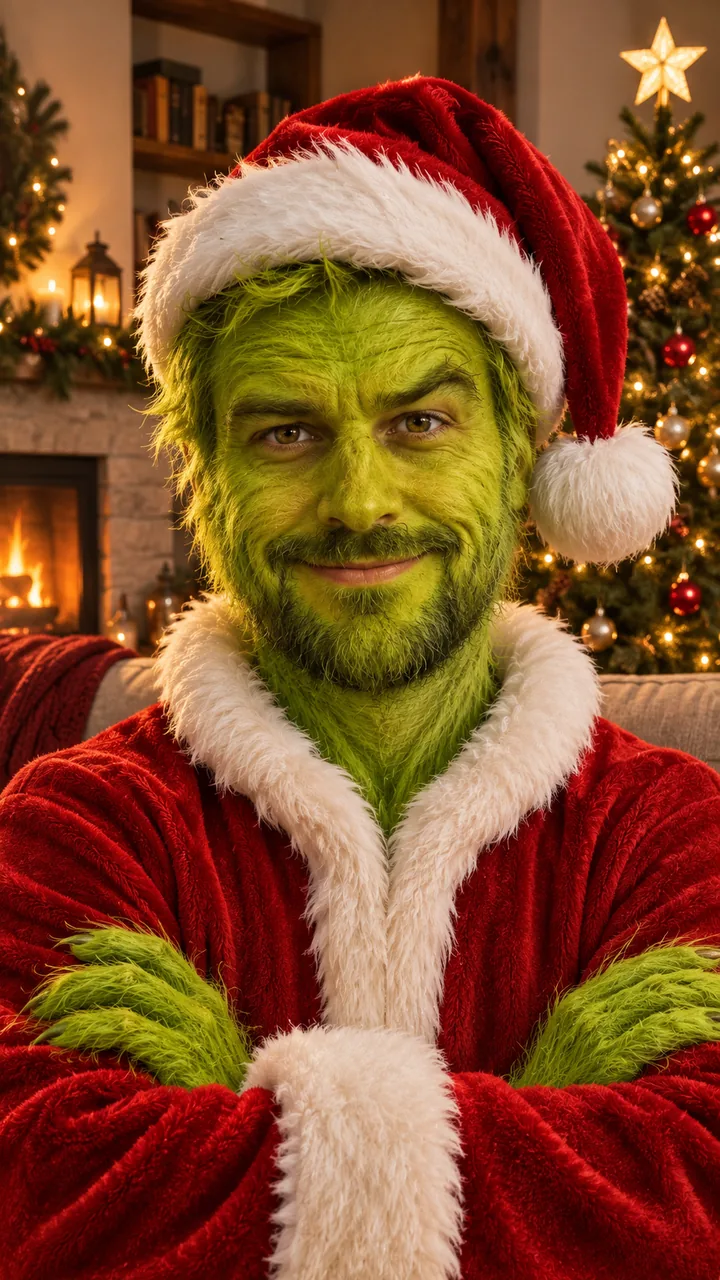
Me as the Grump green Santa grump still
Still
Still only
Video

Photo and still: GPT Image 2.5 Flare, 9:16 · still only · made 2026-11-11

The corgi and the tabby are AI originals, not anyone’s real pets. Each clip was made once on lovart.me with Seedance 2.0 Fast, 10 seconds, 9:16, 720p, starting from the pet photo, then trimmed, reframed and colour graded here with no new AI generation; the green still on each card was built from the same photo and shows what Build the still gives you. The music is an original Christmas instrumental with no lyrics, not the trend sound. The look is a generic green furry Christmas grump, not the copyrighted character. The Me as the Grump card is a still only, made with GPT Image 2.5 Flare on November 11, 2026, from an original adult. Last checked .

STILL FIRST

Make the grinch pet ai trend in two steps

Build the still to give your pet green fur, a sly grin, a red Santa hat and a small suit, download it if a picture is enough, or press Animate it to make the grump move. No CapCut template needed.

  1. 01

    Build the still

    Upload one photo of one pet, face, eyes and ears in view, ears to paws if you want the whole suit. Press Build the still: Image to Image keeps the ears, eyes and pose and swaps in green fur, the grin and the Santa outfit, 9:16.

  2. 02

    Keep the picture

    The still is already the finished green Santa grump. Download it for a card or a post, or press Rebuild the still if the ears or the face drifted from your pet.

  3. 03

    Animate it

    Press Animate it. Image to Video starts on the still: a head tilt, narrowed eyes and a slow sly grin in about 10 seconds. For the clip where your real pet shows first and then turns green, open Image to Video with your photo as the first frame and the still as the end frame.

THREE SCENES

Pick a grinch pet ai trend scene

Couch Grump keeps a living room with warm tree lights, Gift Smirk puts a wrapped present by your pet, and Me as the Grump uses one adult photo from the chest up.

Couch Grump stillDog or cat

Couch Grump

Your pet in green fur, a Santa hat and a red suit on a grey couch, a lit tree behind.

Gift Smirk stillDog or cat

Gift Smirk

Your pet on a wooden floor next to a wrapped present with a red ribbon, one paw ready to push it away.

Me as the Grump stillOne adult

Me as the Grump

Upload one grown-up from the chest up; the face stays yours under green fur, a Santa hat and a red jacket.

COPY, PASTE, ADJUST

Grinch pet ai trend prompt with timings

Keep the ears, eyes and pose, name the green fur, the grin and the Santa outfit, then time the clip: a head tilt at 0–3 s, narrowed eyes and a slow grin at 3–6 s, one eyebrow up to the end. For the real-pet-first clip in Image to Video, start from your photo, keep the room and the pet’s ears and eyes, and turn the fur green with a shimmer at about three seconds; in the corgi sample the hat showed up at about 2.5 s.

Still prompt · Image to Image

Keep my pet
Same ears, eye shape, muzzle, body shape and pose from your photo.
The look
Bright green shaggy fur, a sly grin, a red Santa hat and a small red Santa suit, on a couch by a lit tree, 9:16.
Exclude
A generic green furry grump, not any existing character; no text, no logos.

Motion prompt · Image to Video

Three beats
0-3 s a head tilt at the camera, 3-6 s narrowed eyes and a slow grin, 6-10 s one eyebrow up and a toothy grin.
Keep the pet
Write “keep the green fur, the Santa hat, the suit” and “paws, not hands”.
Sound
An original playful Christmas instrumental, no lyrics; not the trend sound.

Keep the collar? add “Keep my pet’s own collar and name tag visible at the neck of the Santa suit.” to the still prompt.

Use this prompt ↑ · Open Image to Video →

THE PHOTO

The best photo for the grinch pet ai trend

One pet, face, eyes and ears in view, shot from the front at its eye level, the whole body from ears to paws if you want the suit, in daylight.

A good photo for the grinch pet ai trend: an AI corgi on a couch, ears to paws, in daylight

Keep

  • Eye level — shoot from the front at your pet’s eye level, both eyes open.
  • Ears to paws — the whole body in the frame so the suit has somewhere to go.
  • Daylight — a sharp photo by a window beats a flash photo at night.

Leave out

  • Flash eyes — red or white glowing eyes carry into the green face.
  • Costumes and sweaters — the Santa suit replaces them; add the collar line if you want to keep the collar.
  • Blurry or cropped shots — missing ears or paws come back made up.

Two pets

One pet per photo. With two pets, make one still each; two animals in one photo mix up the fur and the faces.

More pet photo to video →

Upload my pet ↑

A FEW GOOD QUESTIONS

Grinch pet AI trend FAQ

Can I keep just the picture?

Yes. Build the still gives you a finished green Santa grump picture you can download. Animate it is an extra step; skip it if the picture is enough.

Is there an official TikTok grinch filter?

No. On TikTok people use AI template apps and CapCut templates. Here one pet photo and two buttons do the same job.

Will my dog still look like my dog?

The ears, eye shape, muzzle and pose come from your photo; only the fur colour, the grin and the outfit change. If the still drifts, press Rebuild the still before you animate.

Is it the actual Grinch character?

No. The look is a generic green, furry Christmas grump with a Santa hat and suit. The character is copyrighted, so its face is not copied.

How much does it cost?

The credits show on each button before you run it. The still costs less than the video, and you only animate once the still looks like your pet.

SAME PET, NEXT EFFECT

More pet effects after the grinch pet AI trend

Animate any pet photo, put your pet in a hoodie for the pet rock dance, send a Santa video that says its name, or browse every trend on the site.

Build the still ↑ · Browse all video effects →