Red gown among gifts
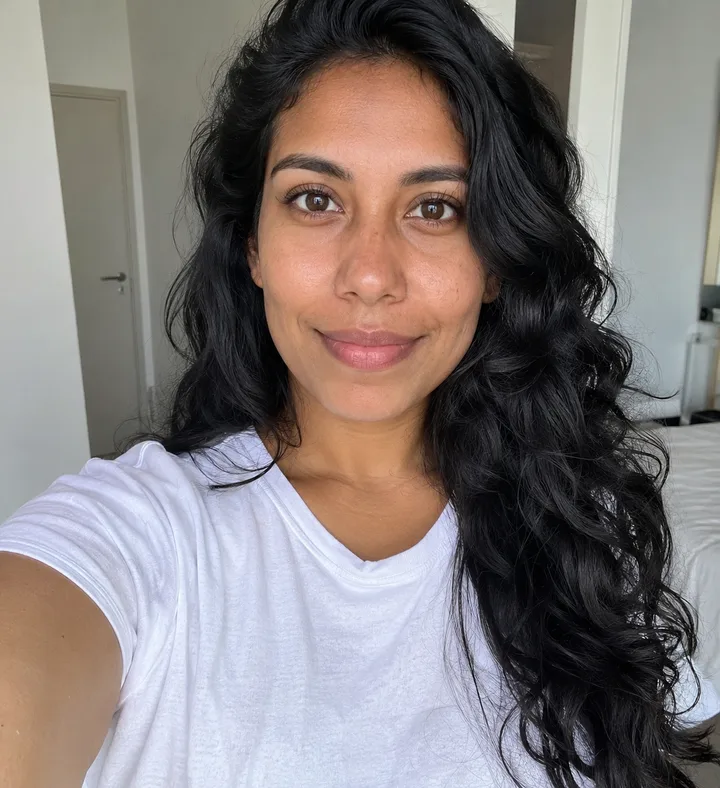
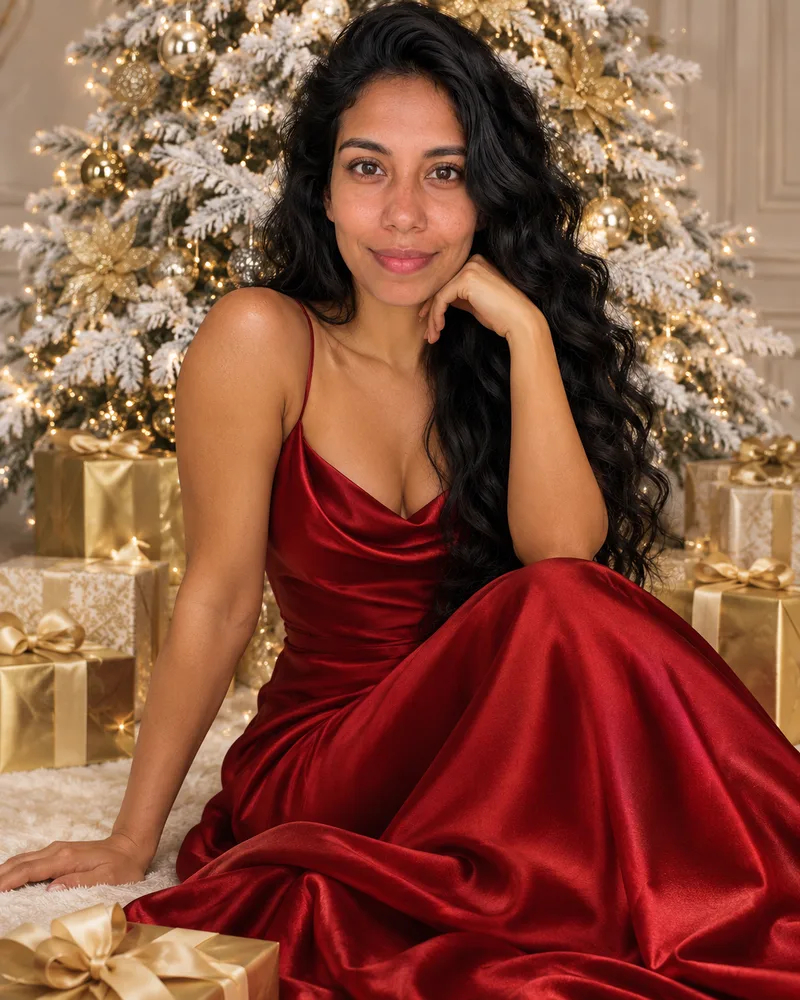
Photo and portrait: GPT Image 2.5 Flare, 4:5 portrait, 1122 × 1402 · still only · made 2026-11-29
Drop one selfie into the box, tap a Christmas look and press Build the still; a vertical 9:16 holiday portrait with your own face comes back ready to download.
This session
My creations Your results appear here. Every result is also saved in My creations; if a run fails, the credits go back to your balance.
Each image costs 3 credits at the default settings, and animating one into a 5-second 720p clip costs 45 credits. Credits come in three one-time packs from $9.90 to $49.90; the $9.90 pack holds 250 credits. Compare credit packs →
One selfie of a woman with long black waves becomes a red satin gown among gold gifts, and one cheek-to-cheek photo of a couple becomes matching plaid flannels by the fire with cocoa. In the first AI Christmas photo she sits on a fluffy rug in front of a white flocked tree with warm lights, one hand at her cheek, her hair and dark eyes kept from the white-T-shirt selfie. In the second the man keeps his glasses and dark hair, the woman her blonde ponytail; they sit by a lit tree and a fire in red plaid shirts and patterned socks, laughing over two mugs of cocoa. The couple card uses one photo of both.
Photo and portrait: GPT Image 2.5 Flare, 4:5 portrait, 1122 × 1402 · still only · made 2026-11-29
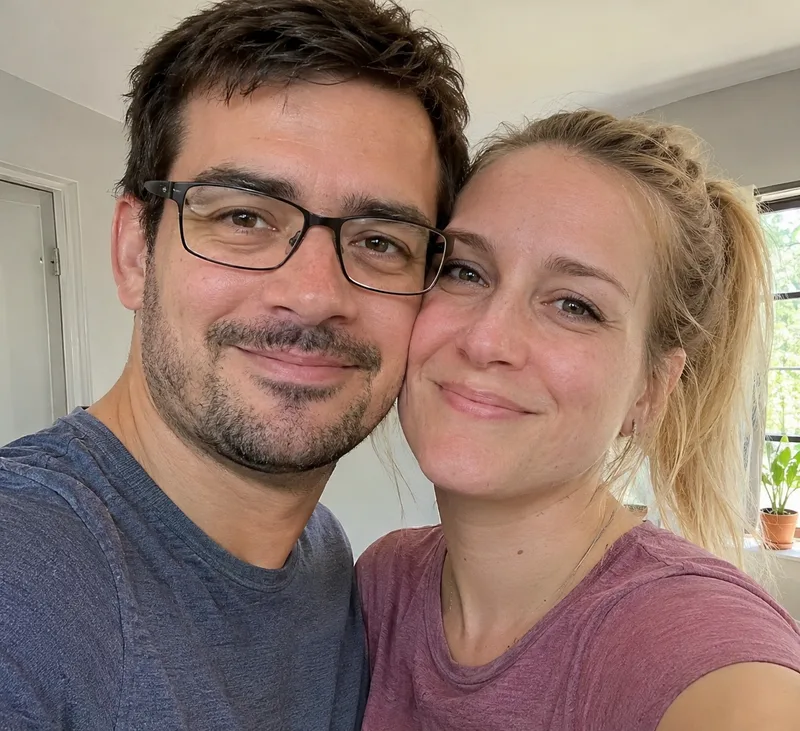
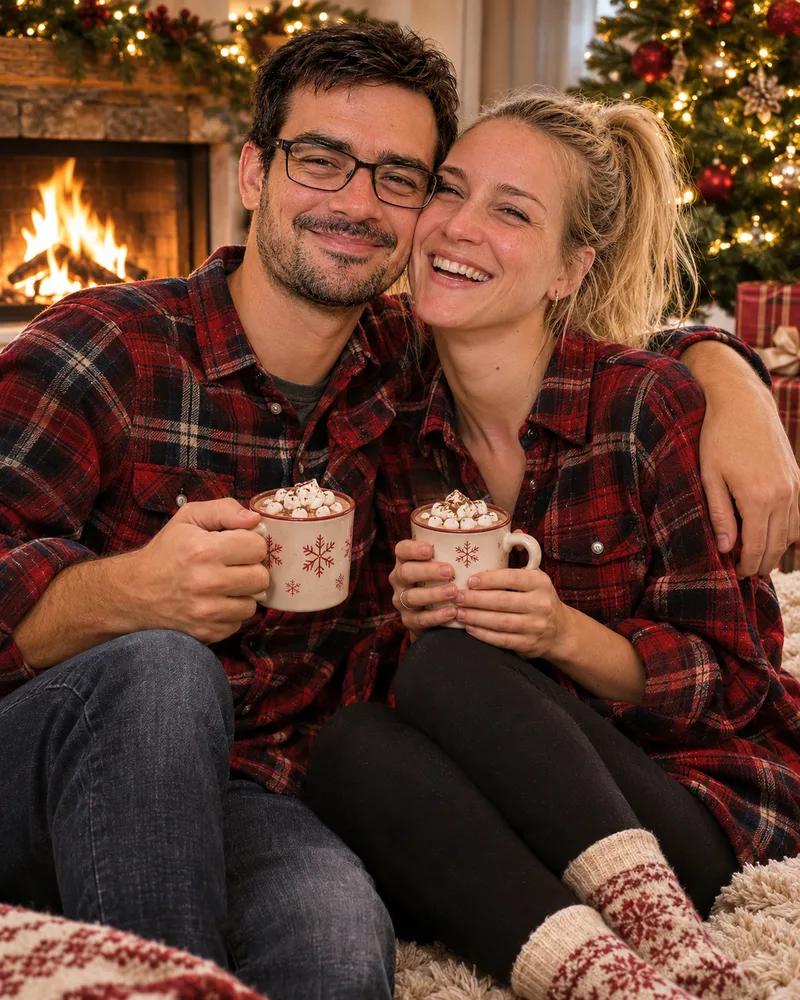
Photo and portrait: GPT Image 2.5 Flare, 4:5 portrait, 1122 × 1402 · still only · made 2026-11-29
The woman and the couple are AI originals made for these samples, not real people or customers, and no children. Each AI Christmas photo here was made with GPT Image 2.5 Flare on November 29, 2026 from the photo on its card, at 4:5; Build the still in the workbench returns a 9:16 portrait. Still only, no video. Last checked .
Put a sharp waist-up selfie in the box, tap Red Gown, Candy Cane, Snow Throw, Santa Hat or My Pet, and press Build the still; the portrait arrives as a vertical 9:16 image. It looks like an AI Christmas photoshoot with no prompt to write or paste: each chip carries its own scene, and this AI Christmas photo generator keeps your face and changes only the outfit, the set and the light.
One sharp photo of one person from the waist or chest up, face to the camera, daylight from a window. No sunglasses, hat or hood (clear glasses can stay), beauty filters off, a relaxed smile.
Red Gown, Candy Cane, Snow Throw or Santa Hat for one person; Plaid Couple for two; My Pet for a dog or cat. A look written for a gown gives a man a velvet jacket for the same scene.
Press Build the still. Image to Image keeps your face, hair and glasses and builds the Christmas set around you. Check the eyes and the hairline, then Download, or press Rebuild for another take.
For an AI Christmas photo couple picture, use one photo of you both, or add your partner in the optional second slot; the first face sits on the left, and each of you keeps your own eyes, hair and glasses. Only upload yourself or adults who said yes to an AI Christmas photo.
One photoA clear cheek-to-cheek or side-by-side photo, both faces to the camera. The sample couple came from one photo like this and kept their places.
Your selfie in the first slot, your partner’s in the second, which appears when Plaid Couple is selected. Handy when you have no good photo together.
With two photos, the first sits on the left and the second on the right. Swap the uploads to swap the sides; if the faces blend, run it again.
A chat app needs you to paste and tweak a long prompt, a studio mini session gives a printed keepsake but takes a booking, and this page turns one selfie into the picture in a single press. Fun and quick points to an AI Christmas photo; a keepsake for the wall points to a real photographer.
Rerun when the eyes or hairline drift, when two faces blend or swap sides, when fingers twist around a mug or a gift, or when a candy cane covers part of the face. Every AI Christmas photo run is a little different, so the second take often fixes it.
No. The Christmas AI photo trend grew from long prompts shared for ChatGPT and Gemini (search for ChatGPT Christmas photo and you will find them), and pasting one there still works. Here you upload the selfie and press one button; nothing is copied into a chat.
Yes. Pick Plaid Couple and drop your partner’s photo into the optional second slot; your photo sits on the left and theirs on the right. Only use photos of adults who said yes.
Run it again with a sharper front-facing photo in daylight and beauty filters off; a smoothed photo comes back smoothed. The eyes and the hairline drift first, so check those before you share an AI Christmas photo.
Yes. Tap My Pet and upload one photo with the face to the camera and the ears in view; the fur and markings stay, the red scarf and the snowy window are new.
Build the still shows its credits on the button before you press it, using the site’s current settings. One still costs far less than a video clip.
Make the AI Christmas photo here, then take it to the AI Christmas card page, which lays out the card with your greeting and can make it move.
Each image costs 3 credits at the default settings, and animating one into a 5-second 720p clip costs 45 credits more. The $9.90 pack holds 250 credits, enough for about 83 images. Packs are one-time purchases with no subscription, purchased credits do not expire, and a failed generation returns its credits to your balance.
After the AI Christmas photo, add a greeting and motion on a card, try the black-and-white sweater portrait, ride a winter carriage, or browse every effect.