Emerald sleeves

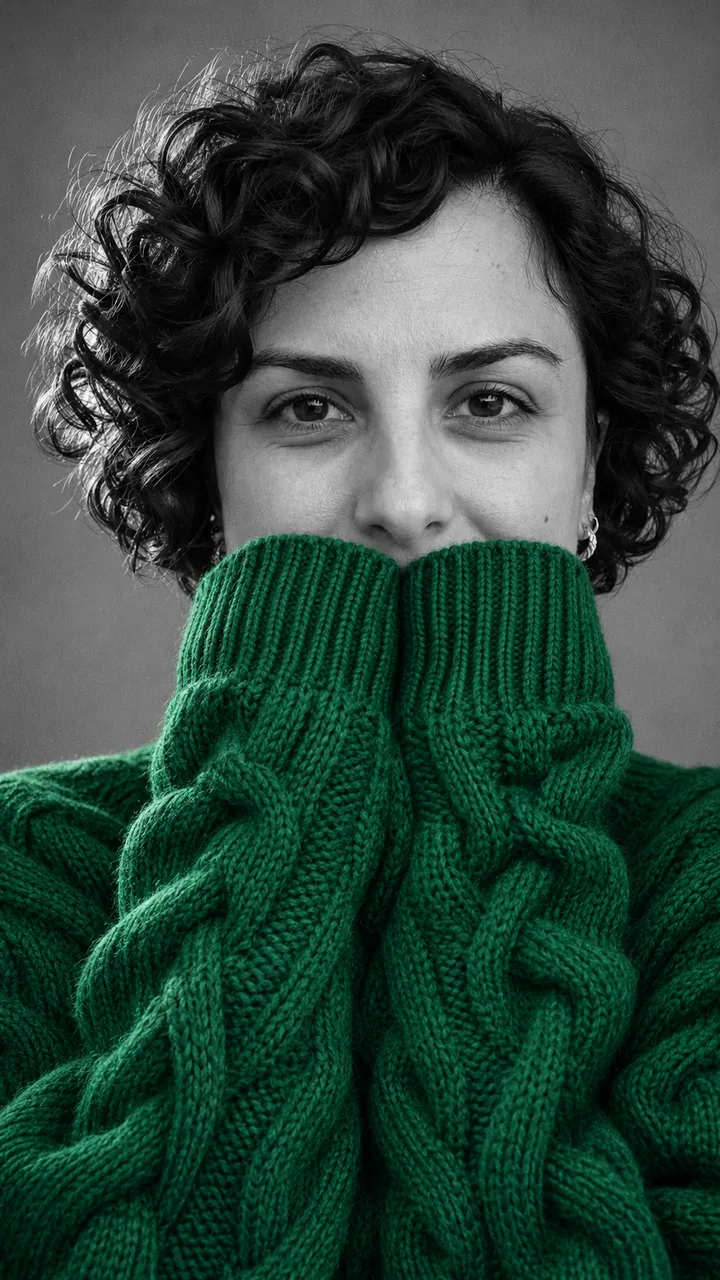
Photo and portrait: GPT Image 2.5 Flare, 9:16 · still only · made 2026-11-14
Upload one chest-up selfie, choose a sweater color chip and press Build the still; you get a black-and-white portrait with only the sweater in color.
This session
My creations Your results appear here. Every result is also saved in My creations; if a run fails, the credits go back to your balance.
Building the still costs 3 credits and the 5-second 720p clip costs 45 credits, so one finished video is 48 credits. Credits come in three one-time packs from $9.90 to $49.90; the $9.90 pack holds 250 credits. Compare credit packs →
A woman with short black curls in an emerald sweater and a grey tabby in a mustard one, each from one photo, each black and white except the knit and the eyes. In the emerald ChatGPT sweater portrait the cable-knit sleeves cover her mouth and chin and stop just under the nose, and her dark brown eyes look straight into the lens. In the mustard one the cat’s big knit collar comes up to its nose, its front paws sit in the long cuffs, and its amber eyes keep their color. That sweater portrait cat card uses the My pet chip; both follow the AI sweater trend: a black and white photo, one color.
Photo and portrait: GPT Image 2.5 Flare, 9:16 · still only · made 2026-11-14
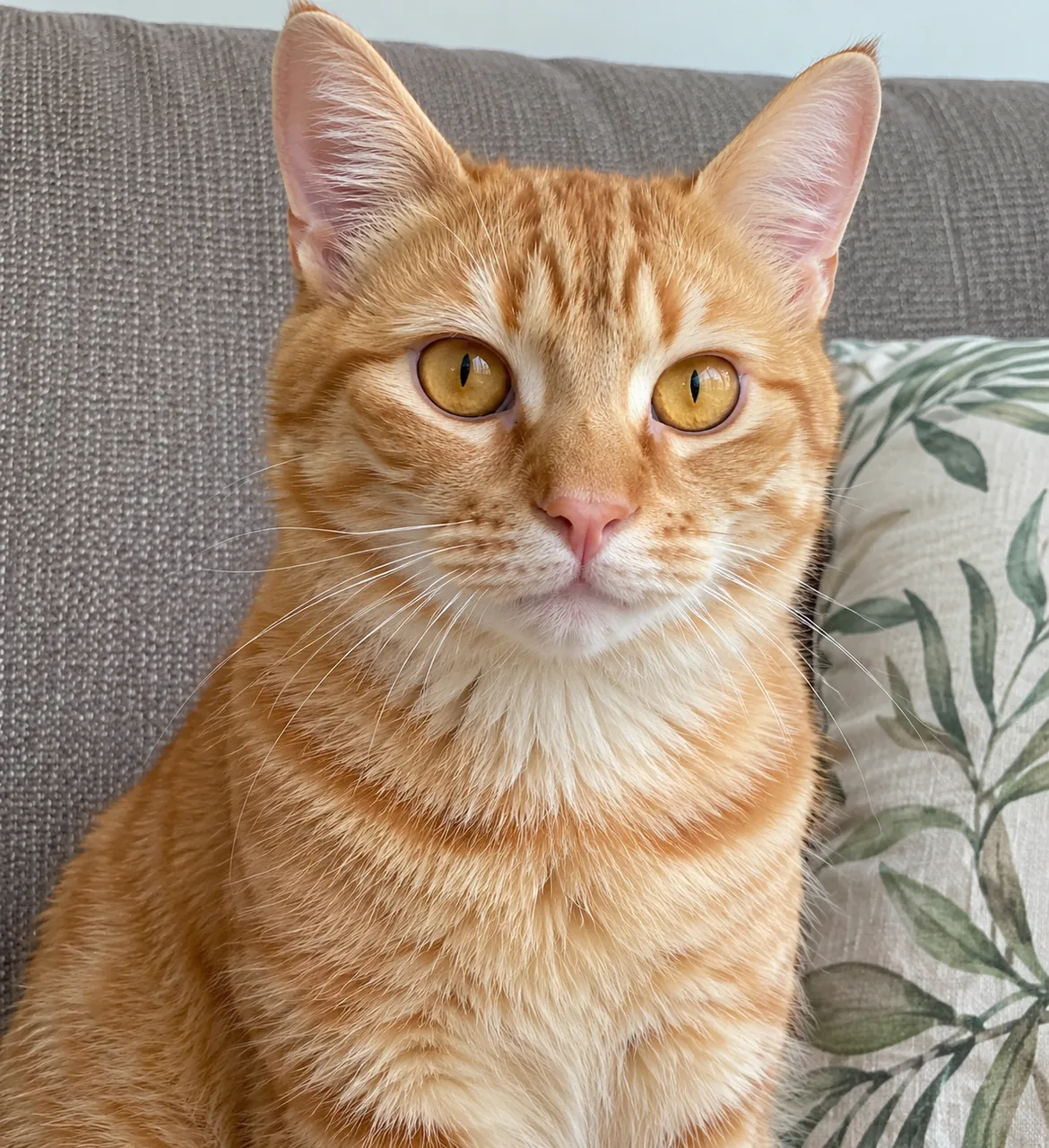
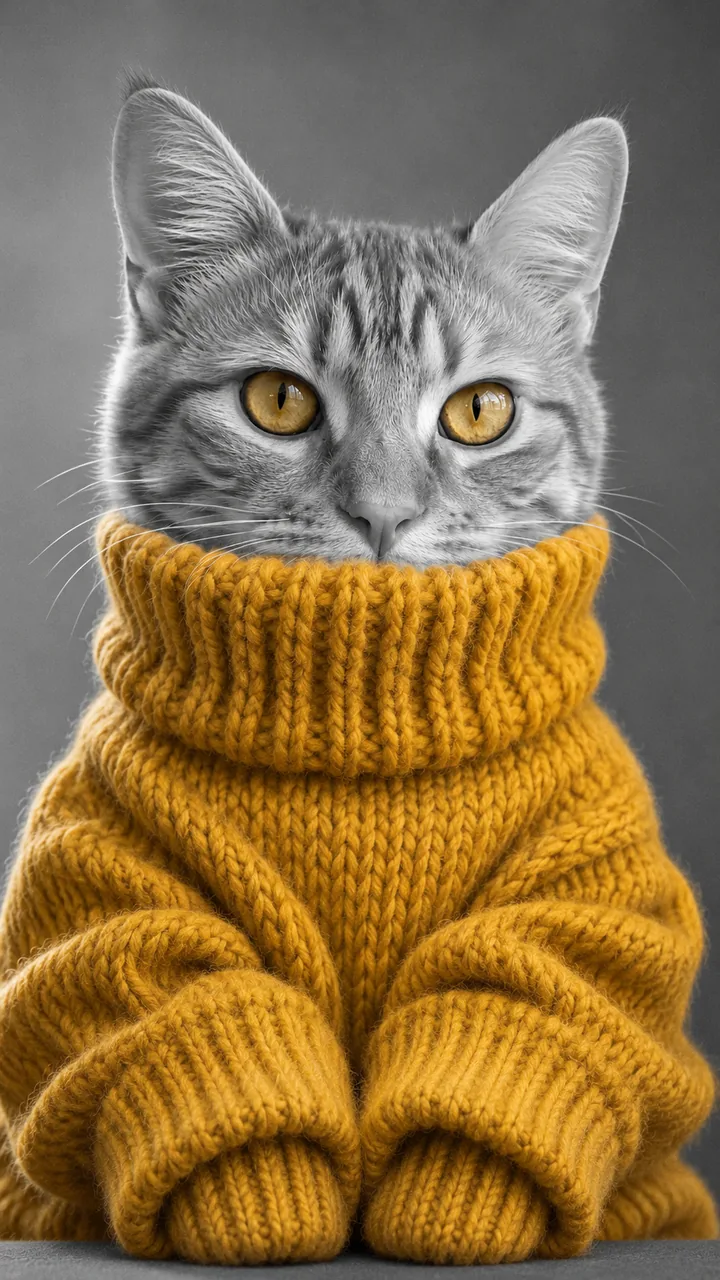
Photo and portrait: GPT Image 2.5 Flare, 9:16 · still only · made 2026-11-14
The woman and the cat are AI originals made for these samples, not real people, customers or the trend’s creators. Each ChatGPT sweater portrait was made with GPT Image 2.5 Flare on November 14, 2026 from the photo on its card, 9:16, with the Emerald and My pet prompts on this page. Still only, no video. Last checked .
Put your selfie in the box, tap a color chip and press Build the still; the ChatGPT sweater portrait comes back as a 9:16 image you can download right away, with no prompt to copy. Every AI sweater portrait here is 9:16 and still only.
One person from the chest up, looking into the camera, facing a window in daylight. No sunglasses and no hand over the face: the AI has to see the whole face before the sleeves cover the mouth.
Tap Emerald, Cherry Red, Purple, Mustard or Match my eyes for your ChatGPT sweater portrait. The chip swaps the color word in the prompt; everything else stays the same.
Press Build the still. Image to Image keeps your face, hair, skin tone and eye color, turns the frame black and white and pulls the colored sleeves up over your mouth. Want motion? Open the result in Image to Video.
Yes. Pick My pet and upload the head and chest with both eyes open; the pet gets a small chunky sweater, paws tucked into the long cuffs. A sweater portrait cat or dog keeps its own eye color. People get five color chips: red came first, purple is behind the most-liked post, and cream is the one to skip because a pale knit reads almost white in a grey photo.
One selfieEach ChatGPT sweater portrait chip: Emerald, Cherry Red, Purple or Mustard, an oversized cable knit with extra-long sleeves.
One pet photoA ChatGPT sweater portrait for your dog or cat: a little mustard sweater, the knit collar up to the nose, paws in the cuffs.
The sweater takes the color of your own eyes, so the knit and the eyes are the only two colored things in the frame.
A mask in a photo editor keeps the color you already wear, a color-splash app needs a colored sweater in the photo, and the AI route of the ChatGPT sweater portrait dresses you in a new sweater and poses the sleeves. The result is the same black and white photo, one color, without owning the sweater.
It keeps your face, hair, age, skin tone and eye color, turns the frame black and white, adds one oversized chunky sweater in your color and raises the sleeves over your mouth. This is our own wording of the ChatGPT sweater prompt idea; paste it into Image to Image with your selfie, or let the chips do it. Each chip only swaps the color word in the AI sweater portrait prompt.
Snowy window? add “Put a softly blurred snowy window behind me instead of the grey backdrop, still black and white.” to the still prompt.
No. The AI sweater trend began as a ChatGPT sweater prompt, and pasting a prompt into ChatGPT or Gemini still works. Here Build the still runs the same idea from one selfie, with the color as a chip instead of a word you type.
Yes. Download the still and open it in Image to Video for a slow push-in or a blink. This page itself makes the photo only.
Yes. Choose My pet and upload the head and chest with both eyes open; your cat or dog gets a little sweater with its paws in the cuffs.
Run it again. The prompt keeps only the sweater and the eyes in color, and a new run usually clears a stray color. Take off a bright necklace before the selfie if it keeps coming back.
One finished video costs 48 credits: 3 for the still and 45 for the 5-second 720p clip. Rebuilding the still costs 3 credits each time. The $9.90 pack holds 250 credits, enough for about 5 finished videos. Packs are one-time purchases with no subscription, purchased credits do not expire, and a failed generation returns its credits to your balance. The credits show on the Build the still button before you run it. Each Rebuild is a new run at the same price.
After the AI sweater trend, try a new haircut, put your pet in a green Santa suit, change your outfit, or browse every trend on the site.